Video content dominates the internet. By 2026, over 82% of all web traffic comes from video — and the demand shows no signs of slowing down. Whether you’re a YouTuber, a marketer, or a business owner, you’ve likely asked yourself: should I use an AI video generator or stick with traditional video editing?
The Big Picture: AI Video Generators vs Traditional Editors
At first glance, the choice seems simple. Traditional video editing software like Adobe Premiere Pro, Final Cut Pro, and DaVinci Resolve gives you complete creative control. AI video generators like ClipEngine, Runway, and Synthesia offer speed and automation. But the real answer depends on your use case, budget, and skill level.
What Is an AI Video Generator?
An AI video generator uses machine learning models to create, edit, or enhance video content automatically. These tools can:
- Generate videos from text prompts (text-to-video)
- Automatically edit raw footage with smart scene detection
- Add AI voiceovers and subtitles in multiple languages
- Create faceless YouTube videos with minimal manual input
- Swap faces, enhance resolution, and remove backgrounds
Tools like ClipEngine specialize in creating faceless YouTube shorts, TikToks, and Reels with one click. Others focus on AI avatars, text-to-video, or automated editing workflows.
What Is Traditional Video Editing?
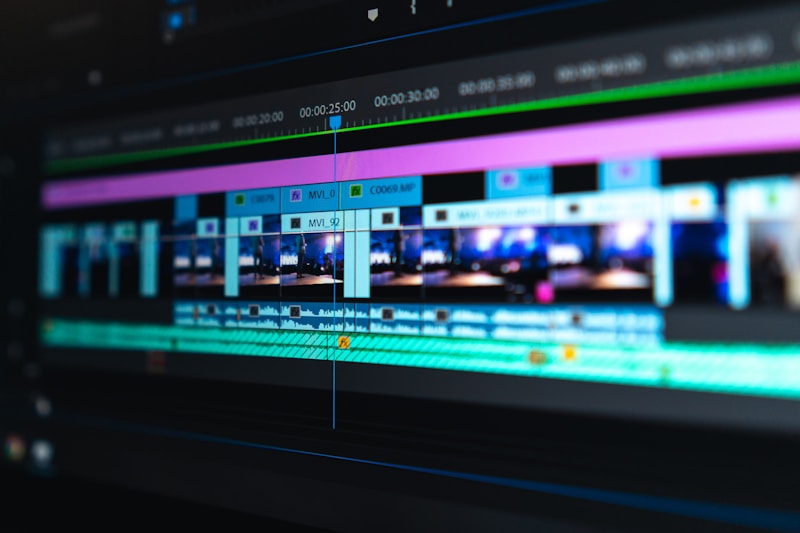
Traditional video editing is the manual process of arranging, cutting, and enhancing video clips using professional software. You control every frame, transition, and effect. It’s the gold standard for:
- Feature films and documentaries
- High-end commercial productions
- Content requiring precise frame-by-frame control
- Projects with complex multi-track audio and color grading
The trade-off? Traditional editing has a steep learning curve, requires expensive hardware, and takes hours — even days — to produce a finished video.
Head-to-Head Comparison: 7 Key Factors
1. Speed and Efficiency
AI Video Generator: Generate a 60-second video in under 5 minutes. From script to finished product, AI tools handle the heavy lifting.
Traditional Editor: A 60-second video can take 2-4 hours of editing, even for experienced editors.
For content creators who publish daily, AI video generators are a massive time saver. A tool like ClipEngine can cut your production time by 90%.
2. Cost Comparison
AI Video Generator: One-time purchase models like ClipEngine ($49 lifetime) offer the best value. Subscription-based tools like Runway ($15-95/month) or Synthesia ($29-89/month) add up quickly.
Traditional Editor: Adobe Premiere Pro costs $22.99/month. Final Cut Pro is $299.99 one-time. DaVinci Resolve is free but requires a powerful computer. When you factor in hardware, a traditional editing setup can cost $2,000-$5,000 upfront.
Winner: AI video generators are significantly cheaper for most use cases.
3. Creative Control
AI Video Generator: Limited by the templates and models available. You choose from presets rather than building from scratch. Great for standard formats, less flexible for unique visions.
Traditional Editor: Infinite creative possibilities. Every pixel, sound, and transition can be customized. If you can imagine it, you can build it.
However, modern AI tools are closing the gap. Features like custom AI voice training, face swaps, and AI-generated footage give creators more flexibility than ever before.
4. Learning Curve
AI Video Generator: Beginner-friendly. Most tools have drag-and-drop interfaces with pre-built templates. No prior editing experience needed.
Traditional Editor: Steep learning curve. Mastering professional software takes months or years. Keyboard shortcuts, timeline navigation, color grading — it’s a craft.
If you’re just starting, AI tools like VoiceVault and ClipEngine let you produce professional content on day one.
5. Output Quality
AI Video Generator: Good to excellent for social media content. AI-generated videos work well for YouTube shorts, TikToks, explainer videos, and faceless content. Output quality has improved dramatically in 2025-2026.
Traditional Editor: Professional broadcast quality. For cinema, TV commercials, and premium productions, traditional editing still produces superior results.
For 90% of online content creators, AI video quality is more than sufficient. The remaining 10% — feature films, high-end ads — still benefit from traditional tools.
6. Privacy and Data Security
AI Video Generator: Depends on the tool. Cloud-based AI tools process your footage on remote servers, raising potential privacy concerns. Tools like ClipEngine run 100% locally on your machine — no data ever leaves your computer.
Traditional Editor: Fully offline. All footage stays on your hard drive. No internet connection required during editing.
For privacy-conscious creators, local AI tools offer the best of both worlds — AI speed with traditional-level privacy.
7. Scalability
AI Video Generator: Highly scalable. Need 50 videos this week? AI tools can batch-produce content at a fraction of the time and cost. Perfect for faceless YouTube channels and content farms.
Traditional Editor: Linear scaling. More videos = more hours. Hiring additional editors is expensive and introduces quality control issues.
When to Use AI Video Generators
AI video generators are the better choice when you:
- Create daily content for YouTube, TikTok, or Instagram
- Run faceless YouTube channels that need volume
- Need quick turnaround on social media ads
- Have limited video editing experience
- Want to save money on software and hardware
- Value privacy and want local processing
When to Use Traditional Video Editing
Stick with traditional editing when you:
- Produce feature films or TV content
- Need frame-perfect precision and custom effects
- Work with professional color grading workflows
- Have a team of experienced editors
- Require cinema-quality output for commercials
The Hybrid Approach: Best of Both Worlds
Many successful creators use both. Here’s a common workflow:
- Generate base footage with an AI video generator (faceless clips, AI voiceover, subtitles)
- Polish in a traditional editor for transitions, overlays, and final touches
- Add AI enhancements like face swaps, background removal, or voice cloning
For example, you could generate an AI video with ClipEngine, then fine-tune the result in DaVinci Resolve. Or generate a voiceover with VoiceVault and layer it over AI-generated clips from ClipEngine.
Recommended AI Video Generator: ClipEngine
If you’re ready to try AI video generation, ClipEngine is an excellent starting point. It offers:
- 10+ video templates for YouTube shorts, Reels, and TikToks
- One-click export with no watermark
- 100% local processing — your data stays private
- Lifetime access with a one-time payment of $49
- Runs on any modern GPU-equipped computer
Final Verdict
In 2026, the question isn’t “AI vs traditional” — it’s “which tool for which job?”
AI video generators win on speed, cost, and accessibility. They’re perfect for social media content, faceless channels, and creators who need to produce at scale.
Traditional editing wins on creative control and quality. It remains essential for cinema, commercials, and projects where every frame matters.
The smartest creators use both — leveraging AI for speed and traditional tools for polish. If you’re just starting, begin with an AI video generator like ClipEngine and level up to traditional editing as your skills grow.
Ready to try AI video generation? Browse our AI tools and find the perfect solution for your workflow.
Have questions or suggestions? We’d love to hear from you!