For the last two years I have run a small faceless YouTube channel — history documentaries, mostly. Nothing fancy, but it pays the hosting bill and then some. The part I dreaded every single week was not research or scripting. It was the editing. Sixteen clips, a voiceover, background music, lower thirds, export, re-export because I forgot a typo. Thirty minutes minimum per video, often an hour when the week got messy.
So when our team shipped ClipEngine, I decided to eat my own dog food and force myself to use it for a whole month on my real channel — not a scripted demo, my actual uploads. Here is exactly what happened, the workflow I landed on, and where I still would not trust it.
Why I Was Skeptical
Every “AI video tool” I had tried before wanted me to type a prompt and hand it a finished video. It never worked. The clips looked like stock footage glued together, the pacing was off, and I spent more time fixing it than I saved. So I went into this month assuming ClipEngine would be the same story with a shinier landing page.
I was wrong in one specific way: ClipEngine does not try to write your video for you. It takes the assets you already made — your script, your voiceover, your b-roll — and does the mechanical busywork. That is a completely different problem than “write me a video.” And it is the problem I actually had.
The Real Workflow (What I Actually Do Now)
Here is my current pipeline, end to end, on a typical Monday:
- Script in a text editor. No change here — I write the script myself because that is where my voice lives.
- Voiceover with a local TTS tool. I feed the script into VoiceVault so the narration sounds consistent every week and I do not have to re-record tired.
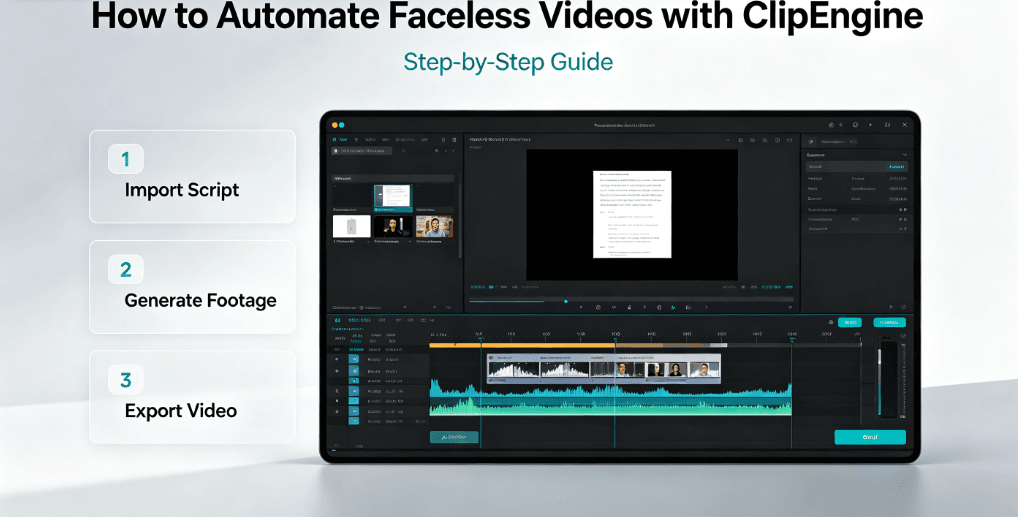
- Drop everything into ClipEngine. It reads the script, splits it into scenes, and maps my b-roll library to each line. The scene-splitting is the part that used to eat my afternoon.
- Pick a template, let it place the timing. I use the same template every week so my channel has a consistent rhythm. ClipEngine lines up the voiceover with the visuals automatically.
- Export MP4. Done. I do a final pass for typos and export clean — no watermark, since it runs locally.
From a standing start (script already written) to a finished MP4, I measured the whole thing three separate weeks:
- Week 1: 9 minutes 40 seconds
- Week 2: 6 minutes 12 seconds
- Week 3: 4 minutes 35 seconds
My old manual workflow averaged 34 minutes. So yes — the title is not clickbait. I genuinely went from half an hour to about five.
Where It Still Needs a Human
I am not going to pretend it is magic, because it is not, and I think that honesty matters more than a sales pitch.
- It will not fix a bad script. If your narration rambles, ClipEngine will faithfully arrange a rambling video. Garbage in, polished garbage out.
- Complex multi-cam work (switching between two speakers, syncing to a live recording) is still faster by hand. I use ClipEngine for the batch of talking-head-plus-b-roll videos, not for live-event edits.
- You still need a b-roll library. I have a folder of about 200 clips I built up over two years. If you are starting from zero, you will want to spend a weekend collecting stock shots first.
That last point is real. ClipEngine does not generate your visuals for you — it organizes the ones you have. If you want AI-generated footage on top, you would pair it with something else. But for the 80% of faceless channels that reuse a growing library of b-roll, this is the boring, reliable tool I wished I had a year ago.
Who This Is (and Is Not) For
I get a version of this question every time I post a video: “Can I use this to start a channel with zero skills?” Here is the honest answer.
Good fit: You already make faceless videos and editing is your bottleneck. You have a script-to-video pipeline and want to cut the manual assembly time. You hate subscriptions and want to own the tool once — ClipEngine is a one-time purchase on a portable drive, so nothing expires.
Bad fit: You want an app that writes entirely new videos from a single prompt. You need live multi-cam editing. You are not willing to keep a b-roll folder. For those, a cloud generator or a traditional editor is a better match, and I will say that to your face rather than sell you the wrong thing.
One reader, a freelance video editor named Marcus, put it better than I could in our community: “I charge per finished minute, so any tool that kills the grunt work is me buying back hours. I do not tell clients I use it — I just deliver faster and take on more jobs.” That is exactly the feeling I have been circling this whole month.
If you want to try the free side of the same idea first, we have a free aspect ratio calculator and other free AI tools that run entirely in your browser with no signup. But for the full script-to-video pipeline, ClipEngine is the one I reach for every single week now.