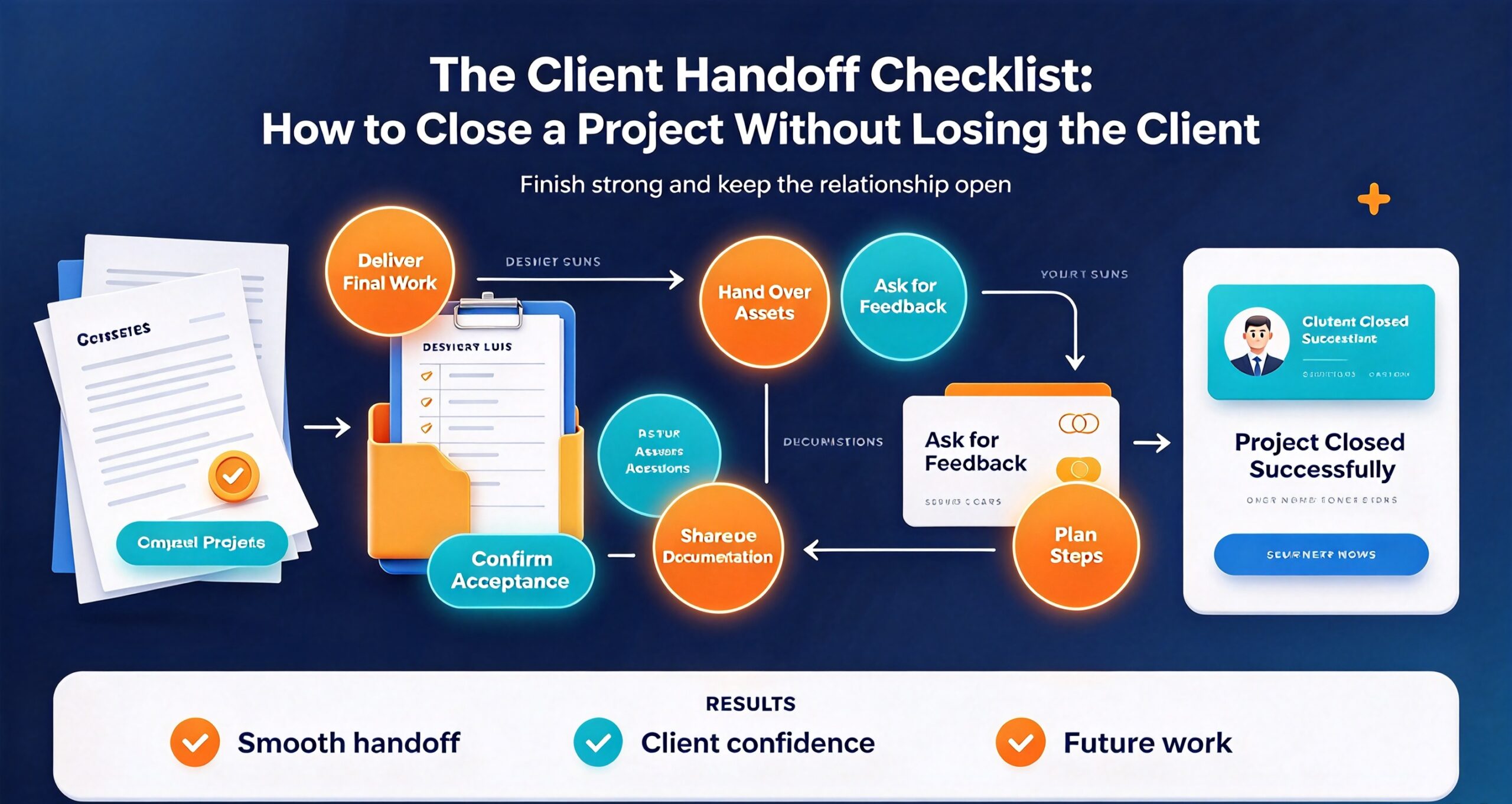
Most freelancers treat the end of a project as a relief. The work is done, the invoice is out, and you want to move on. That instinct is exactly why so many freelancers finish a project cleanly and then never hear from the client again — not because the work was bad, but because the last two weeks of the engagement were a mess of loose files, unanswered questions, and a vague sense that nobody quite knew when it was over.
A proper client handoff is not paperwork for its own sake. It is the single highest-leverage hour you will spend on any engagement, because it determines three things at once: whether you get paid without friction, whether you get a testimonial, and whether the client comes back. This guide gives you a complete client handoff checklist you can run on every project, plus the delivery mistakes that quietly cost freelancers repeat business.
If you have not yet formalised the start of your engagements, read the client onboarding checklist that stops scope creep first — the handoff only works if the expectations were set at kickoff. This article is the other end of that bookend.
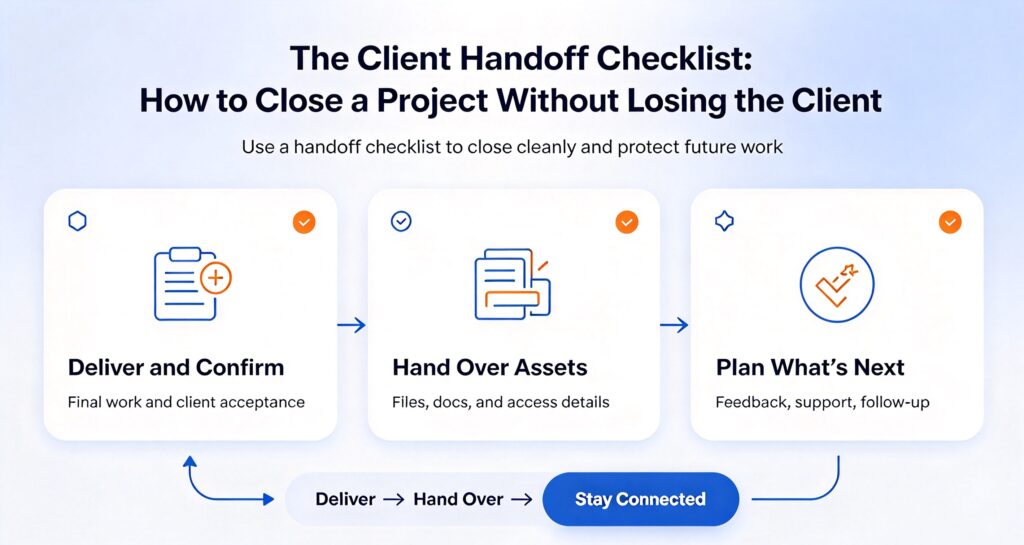
Why the Client Handoff Decides Whether You Get Repeat Work
Clients rarely judge a project by the quality of the deliverable alone. They judge it by how the ending felt. A client who received a clean, organised delivery feels competent and confident; a client who had to chase you for the final files remembers the chasing, not the work.
There is a well-established psychological effect at play here: people remember the peak and the end of an experience far more vividly than the middle. Researchers call this the peak-end rule. Applied to freelancing, it means three months of excellent work can be overwritten by a sloppy final week — and equally, a competent project with a graceful close can be remembered as excellent.
The commercial consequence is direct. Repeat clients cost nothing to acquire and typically spend more than first-time clients. Referrals from satisfied clients close at a far higher rate than cold outreach. Both of those outcomes are manufactured in the handoff, not in the middle of the project.
What a Handoff Is Not
Before the checklist itself, clear up a common confusion. A handoff is not the same as a project retrospective, and it is not the moment you ask for a referral.
A retrospective is internal — what you learned, what you would do differently. Useful, but the client does not need it. A referral request belongs at the 30-day check-in, after the client has lived with the work and has something concrete to recommend. Mixing either of these into the delivery moment dilutes it.
The handoff is narrower and more mechanical than freelancers expect: it is the transfer of finished work, access, and operating knowledge from you to the client, documented well enough that the client can act without you. That narrowness is what makes it reliable.
The 10-Item Client Handoff Checklist
Run these in order. The sequence matters: deliverables before access, access before documentation, documentation before the final invoice.
1. Confirm the Deliverables Against the Original Scope
Open the original proposal or statement of work and tick off every promised item. Not from memory — from the document. This is where you catch the small item you quietly dropped in week four, before the client catches it during their own review.
If something in the scope turned out to be unnecessary, say so explicitly in the handoff document rather than silently omitting it. “We agreed on five social templates; after the strategy call in week two we agreed three were redundant, so you are receiving three plus the two alternates” is a confident sentence. A deliverable list that simply has fewer items than the proposal is an invitation to a difficult email.
2. Package Everything Into a Single Delivery Folder
Nothing damages the perceived quality of a project faster than a delivery spread across six email threads, three cloud links, and a WhatsApp message. Build one folder structure and give the client one link to it.
A workable structure looks like this:
- 01_Final_Deliverables — only the files they will actually use, in the formats they asked for
- 02_Source_Files — editable working files, if the contract includes them
- 03_Documentation — the handoff note, instructions, and any credentials
- 04_Archive — superseded drafts and working versions, clearly labelled as not for use
Numbering the folders is not decoration. It makes the delivery self-explanatory to someone opening it with no context, which is usually the client’s colleague or successor rather than the client themselves.
3. Transfer Every Account, Access, and Credential
Any account you created on the client’s behalf must be transferred or deleted. This includes hosting, domain registrars, analytics, social profiles, ad accounts, email marketing platforms, and any SaaS tool you set up during the project.
Two rules apply. First, never keep ownership of anything the client paid for — it is the fastest way to destroy a relationship. Second, transfer credentials through a password manager’s share function or a single-use secret link, never as plain text in an email. If you are still working from spreadsheets and shared notes, this is the moment to fix it.
Record what was transferred, to whom, and on what date. If a dispute arises in six months about who controls an ad account, that log is the difference between a two-minute resolution and a lost client.
4. Write a Handoff Note That Stands Alone
The handoff note is the most under-delivered document in freelancing. It should be readable by someone who has never spoken to you and still lets them operate what you built.
Include five sections:
- What this is — one paragraph on what the project produced and why
- How to use it — the two or three actions the client needs to take routinely
- How to change it — where to edit, what not to break, what requires a developer
- Known limitations — the things that do not work yet, stated plainly
- Where to get help — your support terms and a realistic response window
The “known limitations” section feels risky to write. Write it anyway. A client who is surprised by a limitation is angry; a client who was warned about it is informed. The second client renews.
5. Record a Short Walkthrough Video
A five-minute screen recording replaces roughly a dozen emails. Record yourself opening the delivery folder, explaining the folder structure, walking through the main deliverable, and demonstrating anything the client will need to operate themselves.
You do not need production values. You need your voice, a clear screen, and a structure. This single artefact also reduces the most expensive form of client contact there is: the question you answer four separate times because it keeps being asked by different people.
6. Run a Final Quality Pass on the Delivered Files
Check the files you are actually sending, not the ones in your working folder. Open every delivered file. Confirm image resolution, confirm that links inside documents resolve, confirm that the spreadsheet formulas still work after export, confirm the PDF renders correctly on a different machine.
This step catches the classic failure where the export process silently broke something that worked perfectly in your editing environment. Clients do not distinguish between “the source was fine” and “the file you sent was broken.”
7. Confirm the Files Open on a Different Machine
A related check that catches a different class of problem: open the delivery on a second computer, or at minimum in a different browser and a fresh user profile. Fonts substitute. Embedded images resolve to local paths. Spreadsheets reference files that exist only on your drive.
Every one of these failures is invisible on your own machine because your machine has the dependency installed. The client’s machine does not. Ten minutes of testing on a clean environment prevents the email that starts with “I cannot open this.”
8. Deliver the Invoice With the Delivery, Not After It
Send the invoice in the same message as the delivery link. Not a week later, not “once you have had a chance to review.” Splitting them signals that you expect a dispute.
Attach or link the original agreement alongside the invoice so the client can match line items to the agreed scope without searching their inbox. If you work with a written change-order process, list the approved change orders as separate invoice lines so the total is explainable at a glance.
9. Ask for the Testimonial at the Moment of Delivery
The best moment to request a testimonial is the moment the client receives a clean, complete delivery. Satisfaction peaks there and decays quickly.
Make it easy: ask three specific questions rather than “would you write something.” For example — what problem were you trying to solve, what was the experience of working together like, and what changed as a result. Specific questions produce specific testimonials; open-ended requests produce “great to work with.”
Offer to draft a version they can edit. Most clients accept this because it removes the blank-page problem, and most will adjust it enough that it becomes genuinely theirs.
10. Schedule the Follow-Up Before You Close the Project
Do not leave the next contact to chance. Book a check-in 30 days after delivery, with an actual calendar invitation, framed as a check that the deliverable is working rather than a sales call.
At that check-in you learn two things you cannot learn any other way: whether the thing you built is actually being used, and what the client’s next problem is. Both are directly monetisable, and both are handed to you free by a client who had a good ending.
When to Start the Handoff
Freelancers typically start the handoff on the last day. That is too late, and it is why handoffs feel like a scramble. Start three points earlier.
Ten days before the contract end date, review the original scope and list anything not yet delivered. This is the last point at which missing work can be completed without renegotiating the deadline.
Five days before, build the delivery folder and write the handoff note. Both take longer than expected the first time, and doing them under deadline pressure produces the thin version nobody values.
Two days before, record the walkthrough video and run the quality pass. Leave enough room that a broken export can be fixed without delaying delivery.
Moving the handoff from one day to ten days is the single change that most reliably turns a stressful close into a routine one — and it also means the final invoice goes out on the agreed date instead of slipping.
The Five Handoff Mistakes That Cost You the Client
Mistake 1: Delivering Into the Void
Sending a bare download link with no context. The client does not know what to open first, so they open nothing. A delivery without a guide is a delivery that gets deferred indefinitely, and a deferred delivery becomes a disputed invoice.
Mistake 2: Holding Access Hostage to Payment
Withholding final files until the invoice clears feels like leverage. It reads as distrust, and it poisons the relationship even when the client pays immediately. Protect yourself with contract terms and staged payments instead, and deliver cleanly when the contract says you should.
Mistake 3: No Written Record of the Close
If the project ends with a phone call and a verbal “we’re all good,” you have no record of what was accepted. A one-page handoff document, acknowledged by email, converts a verbal ending into a defensible one.
Mistake 4: Disappearing After Delivery
The most common freelancer behaviour, and the most expensive. Silence after delivery reads as “that relationship is over.” Clients who would have re-engaged simply do not, because nobody prompted them.
Mistake 5: Delivering Everything at Once With No Prioritisation
A folder of 200 files with no indication of which five matter is not generosity, it is a burden. Lead with the final deliverables, then the sources, then the archive. Order is a form of respect for the client’s attention.
When the Client Goes Silent After Delivery
The most common post-delivery scenario is not a complaint. It is silence. The files were sent, the invoice is outstanding, and the client has not replied in eight days. How you handle that silence determines whether the project closes cleanly or turns into a slow, expensive collection problem.
Treat silence as a process problem rather than a judgement. Most silent clients are not refusing to pay; they are busy, they have delegated your delivery to someone who has not opened it, or they are waiting for internal approval they have not mentioned. None of those are solved by a frustrated email.
A workable escalation runs on a fixed schedule you set in advance, ideally written into your contract:
- Day 3 after delivery — a short, friendly confirmation that the files arrived and that you are available for questions. No mention of the invoice.
- Day 7 — a direct but neutral check: has the delivery been reviewed, and is anything blocking sign-off. Still no threat.
- Day 14 — restate the payment terms, attach the invoice again, and name the date the terms said payment was due.
- Day 21 — state plainly that the account is overdue and describe the next step your contract allows.
The reason this works is not the escalating tone. It is that each message is predictable and documented. Clients who know a schedule exists tend to act before it reaches the later stages, and if the relationship does break down, you have a clean record of reasonable, dated contact rather than a scattered argument.
One rule: never let the first mention of an overdue invoice also be the first mention of a consequence. The consequence should have been in the contract from the beginning.
Handoff Under Different Contract Types
The checklist above assumes a fixed-scope project. Two common variations need adjustment.
Retainer engagements do not have a true handoff, but they need a monthly close instead: a short monthly summary of what shipped, what is in progress, and what needs a decision. The same discipline, run on a 30-day cycle.
Ongoing support contracts should define an explicit end date for the build phase and a separate start date for support, with the handoff checklist marking the boundary. Without that boundary, support work starts before the build is signed off and scope creep returns through the back door.
What to Record for Your Own Protection
The handoff document protects the client’s ability to operate what you built. A separate, private record protects you. Keep it somewhere the client never sees.
- Scope baseline — the signed proposal and every approved change order, in one place
- Delivery timestamp — the exact date and time the delivery link was sent, with the message contents
- Access log — every credential transferred, to whom, and when
- Acceptance evidence — the client’s written acknowledgement, even if it is a one-line email reply saying “all received, thank you”
That last item matters more than it looks. A delivery acknowledged in writing is accepted. A delivery that received no reply is, in a dispute, a delivery you cannot prove arrived. If the client says nothing, send a short follow-up: “Just confirming the files came through — everything you need in there?” A reply to that question is your acceptance record.
How to Make Handoff Repeatable
The checklist only pays off if you run it identically every time. Two things make that realistic.
First, turn the checklist into a reusable document — a template handoff note with the five sections pre-written, a folder structure you duplicate rather than rebuild, and a delivery email you adapt rather than compose. The first project takes an hour; the fifth takes fifteen minutes.
Second, automate the parts that are purely mechanical. Generating a consistent invoice, packaging a folder structure, and producing a formatted document are all tasks that do not need your judgement each time. Purpose-built local tools handle these without subscriptions or cloud uploads — for example DocGenTool for assembling client-ready documents, or PDF Magician for merging and cleaning the final PDF package before delivery.
If your delivery involves a website, pair the handoff with a technical audit so you are not handing over a site with broken internal links — SiteGuard runs that check locally, and the free WordPress health check gives you a one-page summary you can attach to the handoff note.
Handing Off to a Successor Rather Than the Client
A variation that catches freelancers off guard: sometimes you are not handing the project to the client, but to the client’s new hire, an agency taking over, or a contractor who will maintain what you built. This changes the document, not the checklist.
When the recipient has no context, the handoff note must carry everything you would normally have said verbally over three months. Assume nothing is known. Add four things to the standard five sections:
- Decision history — why the build looks the way it does, and which alternatives were rejected and why. Without this, a successor will “improve” the thing you deliberately designed a certain way.
- Dependency map — which tool, account, or service each component depends on, and who owns it
- Known fragile areas — the parts that work but should not be touched casually
- A contact window — how long you are available for questions, and at what rate
That last item is worth pricing rather than giving away. Successor handoffs reliably generate questions for two to six weeks after delivery. Offering a defined paid support window converts that predictable demand into revenue instead of unbilled obligation, and it gives the successor a legitimate route to ask rather than guessing.
If the successor is taking over a website, include a baseline technical record with the handoff: page count, broken links found and fixed, image alt coverage, and current performance numbers. That baseline is what lets the next person be judged on what they changed rather than on what they inherited.
What Good Handoff Actually Buys You
Run this properly on three consecutive projects and three things change.
Payment stops being a negotiation, because the delivery and the invoice arrive together with a scope document the client already agreed to.
Testimonials start arriving without you chasing them, because you asked at the right moment with the right questions.
And the 30-day check-in converts a finished project into a conversation about the next one — which is where repeat revenue actually comes from. The freelance businesses that survive their first three years are rarely the ones with the best portfolios. They are the ones whose clients keep coming back, and that habit is built in the last week of every engagement, not the first.
Pair this with the client-facing SEO audit workflow or the freelance PDF editing workflow if you want to see how the handoff fits a specific service line.