
If you are a YouTuber or thinking of starting a channel, you already know the biggest challenge: writing scripts. A single 10-minute video can take 3–5 hours to script, research, and structure. But in 2026, AI tools have transformed this process. You can now write a YouTube script in 15–30 minutes — without sacrificing quality.
This guide walks you through exactly how to use AI for YouTube scriptwriting, step by step. Whether you run a faceless channel, a tutorial channel, or a vlog, these techniques will cut your scripting time in half.
Why AI Scriptwriting Works for YouTube
The best YouTube scripts follow a proven structure: hook, context, main content, and call-to-action. AI models like ChatGPT, Claude, and specialized tools like TubeBuddy’s AI Script Generator are trained on millions of successful YouTube videos. They understand pacing, retention, and what keeps viewers watching.
A study by Pew Research Center found that the average viewer decides whether to watch a video within the first 15 seconds. AI can help you craft hooks that grab attention immediately, based on data from top-performing videos in your niche.
Best AI Tools for YouTube Scriptwriting in 2026
1. ChatGPT — Best for Full Script Generation
ChatGPT (GPT-5) is the most versatile option. It can write full scripts from a simple topic description, suggest hooks, rewrite sections for clarity, and even emulate your personal speaking style. The key is prompt engineering: give ChatGPT your topic, target audience, video length, and desired tone.
2. Claude — Best for Research-Based Scripts
Claude excels at synthesizing information from multiple sources. If your video requires citing studies, comparing products, or explaining complex topics, Claude’s long-context window (200K tokens) lets you feed it multiple articles and get a coherent, well-structured script back.
3. TubeBuddy AI — Best for YouTube-Specific Optimization
TubeBuddy’s AI Script Generator is built specifically for YouTube. It suggests SEO-friendly titles, generates timestamped outlines, and even recommends video lengths based on your channel’s performance data. Premium plans start at $7.50/month.
4. Jasper — Best for Brand Voice Consistency
Jasper allows you to train it on your brand voice. If you have a specific style — funny, educational, authoritative — Jasper learns it and maintains consistency across all your scripts. This is especially valuable for faceless channels that rely on a consistent narrator voice.
Step-by-Step: How to Write a YouTube Script with AI
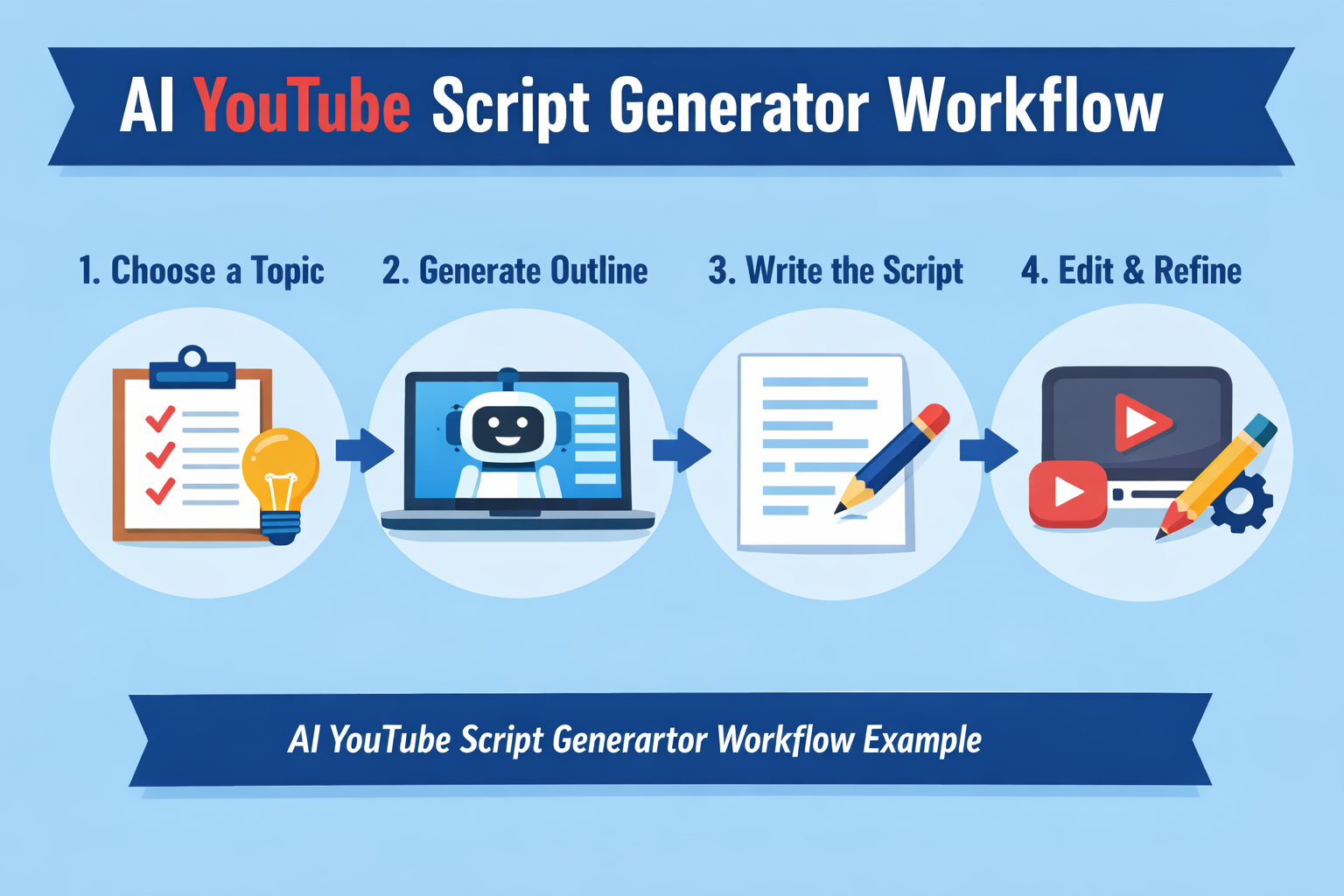
Step 1: Define Your Video Goal and Audience
Before opening any AI tool, write down: What is the one thing viewers will learn? Who is watching? (Beginners, intermediate, advanced?) This context helps the AI generate relevant content.
Step 2: Research Competitor Videos
Watch 3–5 top-performing videos in your niche. Note their hooks, structure, and common patterns. Feed these notes into your AI tool as reference. Example prompt: “I am making a video about [topic]. Here are hooks from the top 5 videos in this niche: [list]. Write a better hook that combines their best elements.”
Step 3: Generate the Script Outline
Ask the AI to create a timestamped outline: “Write a 10-minute YouTube script outline about [topic] for beginners. Include an intro hook, 4 main sections, and a call-to-action. Each section should be 1.5–2 minutes.” This gives you a roadmap before writing the full script.
Step 4: Write the Full Script (One Section at a Time)
Generate each section individually. This gives you more control over quality than generating the full script at once. Review and adjust each section before moving to the next. Ask the AI to “make this more conversational” or “add an example here” to improve natural flow.
Step 5: Add Visual Cues
Mark where visual elements should appear: [B-roll: person typing on laptop], [Screen recording: showing tool interface], [Text overlay: “3X engagement boost”]. This turns your script into a production-ready document that saves hours during editing.
Step 6: Read Aloud and Edit
AI-generated scripts can sound too formal. Read the script aloud. If a sentence feels unnatural, simplify it. The best YouTube scripts sound like a friend explaining something, not a textbook. Aim for a Grade 6–8 reading level.
Pro Tips for Better AI Scripts
- Use “write like [famous YouTuber]” prompts: “Write this in the style of MrBeast” produces punchier, faster-paced scripts. “Write this like a TED Talk” produces more thoughtful, educational content.
- Break up the script: Ask the AI to write in “beats” — 30–60 second chunks that each deliver one key point. This matches YouTube’s retention patterns.
- Include pattern interrupts: Every 60–90 seconds, add something surprising — a joke, a visual change, a question to the viewer. AI can help identify where these should go.
- Test your hooks: Generate 10 different hooks for the same video and pick the strongest one. The hook determines 80% of your video’s success.
Common Mistakes to Avoid
- Publishing AI scripts without editing: AI produces drafts, not final scripts. Always edit for your voice.
- Skipping the hook: No matter how good the rest of the script is, if the first 15 seconds are boring, viewers leave.
- Overloading information: A common AI mistake is cramming too many facts. Cut ruthlessly — one clear takeaway per video beats five muddy ones.
- Forgetting the CTA: Every script needs a clear call-to-action. Tell viewers exactly what to do (subscribe, comment, watch next video).
Final Thoughts
AI will not replace your creativity — but it can remove the grunt work from scriptwriting. The best YouTube creators in 2026 are not the ones who write every word by hand. They are the ones who use AI to go from idea to finished script in under an hour, freeing up time for what really matters: filming, editing, and connecting with their audience.
Try the step-by-step process above with your next video. You will be surprised at how fast you can create a quality script when AI handles the heavy lifting.
Share this post:
Facebook |
Twitter |
LinkedIn
Related Reading
- Best AI Video Editing Tools in 2026
- How to Start a Faceless YouTube Channel with AI
- AIXHDD vs Competitors Comparison
Related Reading
- Best AI Video Editing Tools in 2026 — Save hours on post-production with these AI tools
- How to Start a Faceless YouTube Channel with AI in 2026 — Complete guide to building a channel with AI
- AIXHDD vs Competitors: One-Time Payment Beats Monthly Subscriptions — Compare pricing and features