Stop paying Adobe $22.99/month for PDF tools you barely use. PDF Magician is a complete offline PDF toolbox — merge, split, compress, OCR text, add watermarks, convert formats, and more. All in one lightweight app under 500MB.

📄 What It Does:
• Merge PDFs — Combine multiple files with drag-and-drop ordering
• Split — By page range or every N pages
• Compress — Reduce file size while keeping quality
• OCR — Extract text from scanned documents (supports 6 languages)
• Watermark — Add text or image watermarks to entire batches
• Convert — PDF to Word, images, text, or HTML
• PDF to Image — Perfect for sharing or embedding screenshots
⚡ Why Creators Choose PDF Magician:
✅ 100% offline — Your documents never leave your computer. No cloud, no privacy risks.
✅ No subscription — Pay $29 once, use forever. Save $245/year vs Adobe Acrobat.
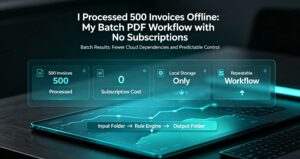
✅ Batch processing — Handle hundreds of files in a single click
✅ Portable — Run from USB, no installation required
✅ Windows & macOS — Cross-platform ready
💡 Who Needs This?
• Freelancers managing contracts and invoices
• Students organizing research papers
• Office workers processing document batches
• Anyone tired of monthly PDF subscription fees
🎥 Watch the demo video: https://aixhdd.com/product/pdf-magician/
👇 Get PDF Magician — One-time $29, lifetime access 👇
👉 https://aixhdd.com/product/pdf-magician/