I use AI tools every single day. Video generation, background removal, text-to-speech, transcription — you name it.
For the first two years, I was all-in on cloud platforms like Runway ML. Then I started building local alternatives. After running both setups side by side over a series of projects, I have concrete numbers on which approach makes more sense for different kinds of work.
**Spoiler:** It’s not as clear-cut as the “cloud vs local” wars on Twitter make it seem.
## How I Set Up the Test
I ran the same five tasks on both setups:
1. **Generate a 10-second AI video clip** (text-to-video)
2. **Remove background from 100 product photos**
3. **Clone a voice from 3 minutes of audio**
4. **Transcribe a 45-minute podcast interview**
5. **Generate 20 social media thumbnails**
Cloud setup: Runway ML Gen-3 (paid), plus ChatGPT Vision API, ElevenLabs, and Whisper API.
Local setup: Open-source models across the same categories, running on an RTX 3060 (12GB VRAM).
## Task 1: AI Video Generation
**Runway ML Gen-3:** $0.05 per second of video generated. A 10-second clip costs $0.50. Quality is good — coherent motion, decent prompt adherence, occasional weirdness with hands (you know the drill). Render time: about 45 seconds per clip.
**Local (Stable Video Diffusion + AnimateDiff):** Free to run. A 10-second clip takes about 4 minutes on the RTX 3060. Quality is noticeably worse — more artifacts, less coherent motion, and I had to tweak parameters for hours before getting anything usable.
**Verdict:** Runway wins, no contest. For video, the cloud advantage is real.
But here’s the thing: if you’re generating more than 200 clips per month, local starts to make financial sense. At $0.50 per 10-second clip, 200 clips = $100/month. A used RTX 3090 costs about that much, and you’d own it forever.
## Task 2: Background Removal (100 Photos)

**Cloud (Remove.bg API):** $0.049 per image x 100 = $4.90. Takes about 2 seconds per image. Quality is excellent — hair detection is near-perfect.
**Local (RMBG 1.4 / rembg):** Free. Batch processing 100 images took about 3 minutes total. Quality is 95% as good — hair detection occasionally misses fine strands, but for 99% of use cases it’s indistinguishable.
**Verdict:** Local wins. The quality difference is negligible for most work, and after 1,000 images you’ve “saved” $49 — enough to justify buying a tool that does this locally forever.
I actually use a local tool called BulkPhoto AI for this exact task. Batch processing hundreds of images, before/after preview, edge smoothing — it handles everything I throw at it without sending a single photo to the cloud. No subscription, no per-image fees, no data leaving my machine.
## Task 3: text-to-speech
**Cloud (ElevenLabs):** $5/month starter plan, or $22/month creator plan for text-to-speech. Quality is stunning — the generated speech is almost indistinguishable from the original. Instant generation — 30 seconds of audio takes about 3 seconds to produce.
**Local (Coqui TTS + Piper):** Free, but painful. I spent two full days setting up the environment, downloading models, and debugging CUDA errors. Once it worked, generating 30 seconds of audio took about 15 seconds. Quality is good but noticeably robotic compared to ElevenLabs.
**Verdict:** Cloud wins for quality and ease. Local wins for privacy and long-term cost.
If you’re cloning voices professionally, you can’t beat ElevenLabs right now. But if you’re concerned about your voice data being stored on someone else’s servers — and you should be — local is the only real option.
## Task 4: Transcription
**Cloud (Whisper API via OpenAI):** $0.006 per minute. A 45-minute podcast = $0.27. Near-perfect accuracy. About 2 minutes turnaround.
**Local (faster-whisper with int8 quantization):** Free. 45-minute podcast processed in about 3 minutes. Accuracy is identical — both use the same model architecture.
**Verdict:** Dead heat for quality. Local wins on cost and data privacy.
This is one area where local AI genuinely matches cloud performance. The open-source Whisper ecosystem is mature, well-optimized, and you can run it on surprisingly modest hardware.
## Task 5: Thumbnail Generation
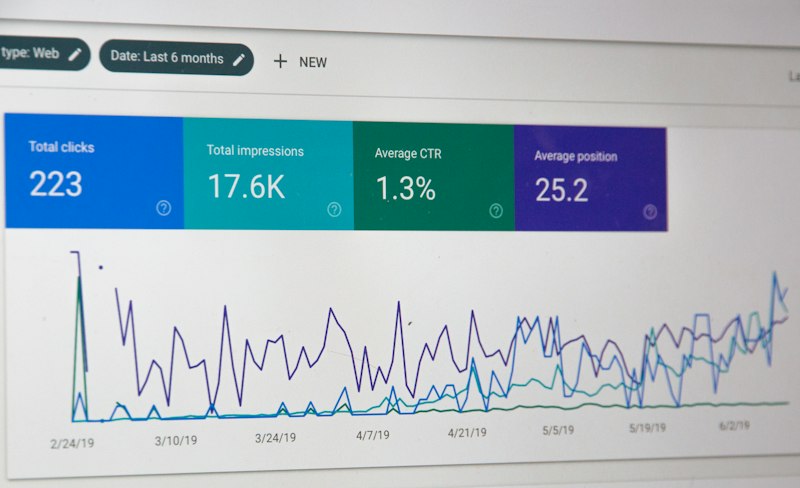
**Cloud (Canva AI / Midjourney):** $12-30/month subscription, quality is excellent, fast turnaround.
**Local (ComfyUI workflow + custom scoring):** Free. Slower (about 30-45 seconds per thumbnail), but I use a custom tool that actually scores each thumbnail for CTR potential based on color contrast, face placement, text readability, and composition.
**Verdict:** Depends on volume. Under 50 thumbnails/month? Cloud is fine. Over 50? The local approach saves real money.
## The Cost Breakdown (Monthly)
| Task | Cloud Monthly Cost | Local Monthly Cost | Local Savings |
|——|——————-|——————-|—————|
| 200 video clips (10s each) | $100 | Free (+ hardware cost) | $100 |
| 1,000 bg removals | $49 | Free | $49 |
| text-to-speech (20 hrs audio) | $22 | Free | $22 |
| Transcription (500 min) | $3 | Free | $3 |
| 100 thumbnails | $20 | Free | $20 |
| **Total** | **$194/month** | **$0** | **$194/month** |
Hardware cost: A used RTX 3060 runs about $200. **Payback period: ~1 month.**
## When to Go Cloud vs Local

**Go cloud when:**
– You need production-quality video (Runway, Pika)
– You’re doing professional voice work
– You need instant results and have the budget
– You don’t want to debug CUDA errors on a Friday night
**Go local when:**
– You process large volumes (100+ images, 50+ videos)
– You care about data privacy
– You want predictable costs (no surprise bills)
– You work offline or have unreliable internet
**Go hybrid when:**
– You’re scaling up (most people start cloud and move local as volume grows)
– Different tasks benefit from different approaches
## What I Actually Use Today
After six months of testing, my setup is:
– **Video:** Runway for client work, local for experiments
– **Images:** All local (BulkPhoto AI for bg removal, custom tools for thumbnails)
– **Voice:** ElevenLabs for final output, local for prototyping
– **Transcription:** All local (faster-whisper based)
– **PDF processing:** All local
The hybrid approach saves me about $170/month compared to going all-cloud, while keeping quality high where it matters.
*This is based on my personal testing over 6 months. Hardware performance varies. Cloud pricing as of mid-2026.*