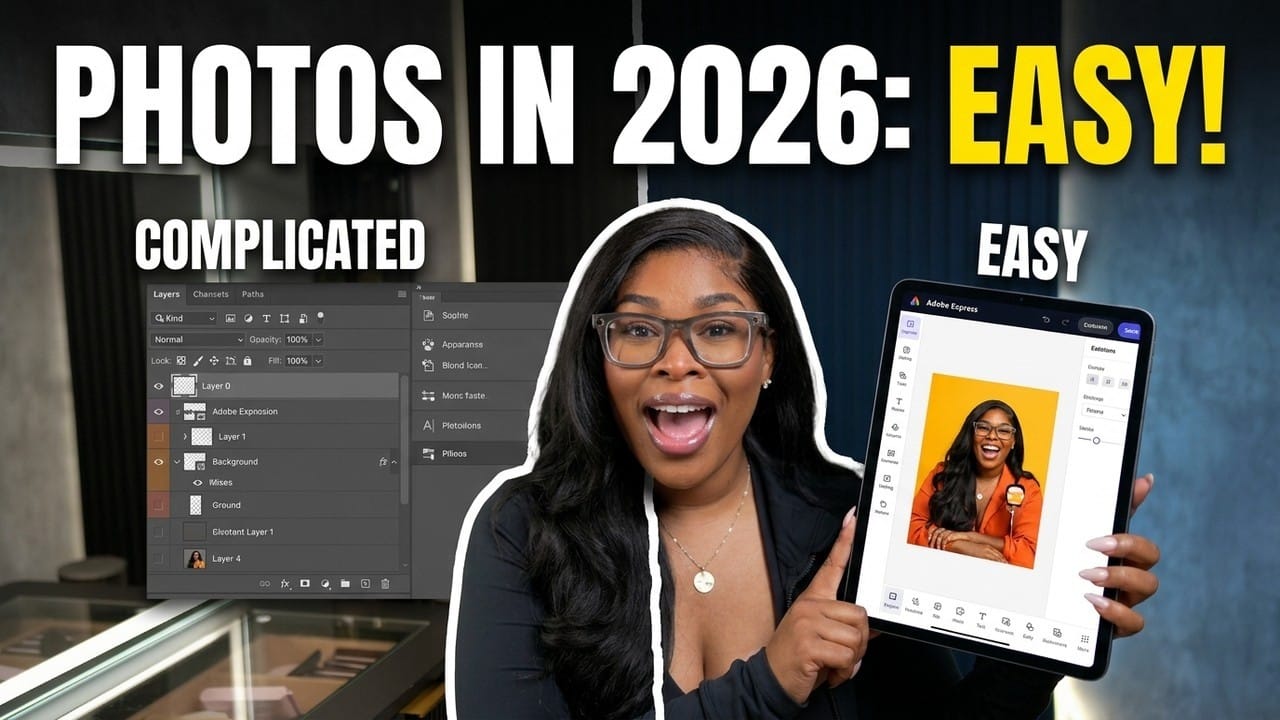
Remember the old way of learning photo editing? You’d download a 30-day Photoshop trial, open it once, stare at 47 different tool icons, and immediately close it. You’d watch a 2-hour YouTube tutorial, follow along for 10 minutes, and realize you’d already forgotten where the “Clone Stamp” tool was.
That era is over. In 2026, AI photo editing tools let complete beginners produce professional-quality edits with nothing more than a browser and a basic understanding of what they want the final image to look like. No tutorials. No memorized shortcuts. No frustration.
What Changed in AI Photo Editing
Traditional photo editing requires you to learn tools. AI photo editing requires you to describe outcomes. Instead of manually selecting pixels, you tell the AI: “Remove the background,” “Improve the lighting,” or “Make this look like a professional headshot.” The machine does the heavy lifting.
According to a 2025 report by Adobe’s AI Research Lab, generative AI features in image editors reduced editing time by an average of 67% for non-professional users. In some cases — like background removal — AI is now faster and more accurate than manual masking even for experienced designers.
5 Things AI Photo Editing Can Do Instantly
1. Background Removal
This was once a 15-minute manual process involving the “Magic Wand” and “Lasso” tools, constant zooming in and out, and inevitable jagged edges. Today, AI does it in 2-3 seconds with hair-level precision. Services like Remove.bg, Adobe’s AI masking, and open-source alternatives handle even complex edges — hair blowing in the wind, transparent objects, furry animals — with near-perfect accuracy.
2. Portrait & Face Enhancement
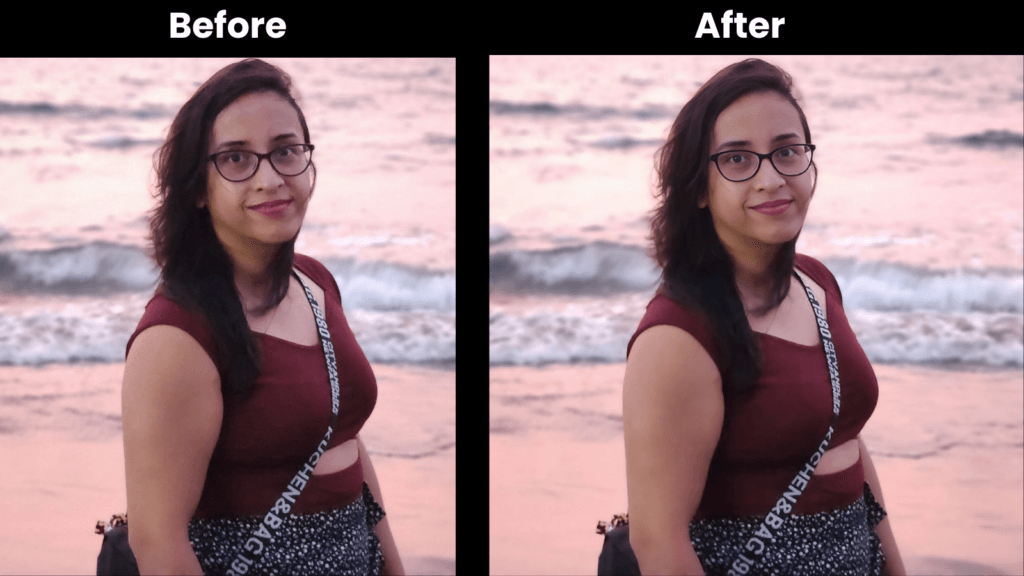
One of the most useful AI applications for beginners is face enhancement. You can take a poorly lit selfie taken on an older phone and transform it into a studio-quality portrait. AI adjusts skin tones, removes blemishes, balances lighting, and even recomposes the face position to match professional photography standards.
This is where local AI comes in. It’s specifically designed for portrait enhancement — one click upgrades resolution, lighting, skin texture, and facial features. Whether you need a LinkedIn profile picture, a passport photo, or a family portrait, local AI delivers results that would cost $200+ at a professional studio.
3. Image Upscaling
Low-resolution images used to be unusable. You’d try to stretch them, and they’d turn into pixelated messes. AI upscaling tools — like Topaz Gigapixel, Clipdrop, and others — now use deep learning models trained on millions of images to fill in missing detail. A 200×200 pixel image can become 2000×2000 with crisp edges that look natural.
A 2024 study from MIT’s Computer Science and AI Lab (CSAIL) found that the best AI upscalers now achieve perceptual quality indistinguishable from native high-resolution images in benchmark tests. The technology has crossed a threshold where it’s genuinely useful for real-world scenarios.
4. Color Correction & Lighting Adjustment
This used to be the most intimidating part of photo editing. You had to understand curves, levels, histograms, and color theory. AI tools now offer one-click “auto-enhance” features that analyze your image and apply optimal corrections. Advanced tools let you describe the mood you want: “warm sunset tones,” “cinematic dark,” “bright and clean.” The AI interprets your text and applies the adjustments.
5. Object Removal
Spots on a wall, an unwanted person in the background, a stray wire in a product photo — traditional object removal required precise selection and content-aware fill. Today, you simply circle or brush over the object, and AI generates a realistic replacement based on the surrounding pixels. The results are often indistinguishable from the untouched parts of the image.
The Best AI Photo Editing Tools for Beginners in 2026
Here’s a quick comparison of accessible options:
- local AI — Perfect for portrait enhancement, headshots, and face-focused edits. One-time payment model, no subscription.
- Adobe Photoshop (AI version) — Full-featured but $55/month. Best if you need advanced features alongside AI tools.
- Canva AI — Great for social media content. AI features built into an easy drag-and-drop interface.
- Clipdrop by Stability AI — Free tier available. Excellent for background removal and object replacement.
- Fotor — Browser-based, beginner-friendly, good one-click presets.
A Simple Beginner Workflow
You don’t need to learn every tool. Here’s a 5-minute workflow that covers 80% of common editing tasks:
- Import the image into your chosen tool
- Auto-enhance to fix basic lighting and color
- Remove any distractions (background, unwanted objects)
- Enhance the subject (for portraits: smooth skin, brighten eyes, correct lighting)
- Upscale to the resolution you need
That’s it. Five steps. One minute per photo. Professional results.
Why AI Photo Editing Is a Game-Changer for Small Creators
If you’re a freelancer, solopreneur, or small business owner, you can’t afford a $55/month Photoshop subscription plus the time investment to learn it. AI photo editing tools let you produce polished visuals without hiring a designer.
Imagine you run a small online store. Every product needs clean, consistent photography. With AI tools, you can shoot on your phone, remove backgrounds in seconds, enhance brightness in one click, and output social-media-ready images in under 3 minutes per product. Scale that across 50 products and you’ve saved over 20 hours of editing time.
Common Beginner Mistakes (And How AI Fixes Them)
- Over-editing — Using too many filters. AI presets are usually more conservative; trust them.
- Wrong output format — AI tools handle format conversion automatically. Use PNG for transparent backgrounds, JPEG for general use.
- Ignoring aspect ratio — Most AI tools have preset crop ratios for Instagram, LinkedIn, Twitter.
- Skipping the original — Always keep the original file. AI edits are non-destructive in most tools.
The Bottom Line
AI photo editing isn’t a replacement for learning design fundamentals — but it’s a massive shortcut for people who need good results fast. If you’re a beginner who’s been intimidated by tools like Photoshop, try an AI-powered alternative first. You’ll be surprised by how quickly you can transform a bad photo into a great one.
Start simple: choose one area you need most (portrait enhancement, background removal, or upscaling), master that with the right AI tool, and expand from there. In 2026, great photo editing is available to everyone — not just the professionals.