Imagine this: you need a professional-looking image for your blog post, your social media profile, or your product listing. You have two choices — pay a designer $200 or open a free AI image generator and get exactly what you need in 30 seconds. For most people in 2026, the answer is obvious. AI image generation has gone from a fun gimmick to a genuinely useful tool that anyone can use. And the best part? You don’t need to know how to draw, use Photoshop, or understand any technical jargon. This guide will walk you through everything you need to know — from choosing the right tool to writing prompts that actually work.
## Why AI Image Generation Matters in 2026
The numbers speak for themselves. According to a 2025 report by Grand View Research, the AI image generation market grew to $3.8 billion, with over 60% of small businesses reporting they’ve used AI-generated visuals for marketing or content creation. Why? Because good visuals directly impact revenue. Content with relevant images gets 94% more views than text-only content, according to research cited in the Journal of Digital Marketing (2025 Edition).
The technology has matured significantly. Gone are the days of weird extra fingers and distorted faces. Modern AI image generators in 2026 produce photorealistic results that are often indistinguishable from actual photographs.
## The 5 Best Free AI Image Generators in 2026
### 1. DALL-E 4 (OpenAI)
DALL-E 4 is the current king of AI image generation. It handles complex prompts, generates consistent characters across multiple images, and produces stunning 4K resolution. The free tier gives you 15 images per day — plenty for most users. Its biggest strength is understanding nuanced requests like “a cozy coffee shop in Tokyo at golden hour, watercolor style.”
### 2. Midjourney Web (Free Tier)
Midjourney finally launched a web interface in 2026, making it accessible without Discord. The free tier offers 20 image generations with a watermark. Midjourney’s artistic style remains unmatched — if you want painterly, atmospheric, or surreal images, this is your best bet.
### 3. Leonardo AI
Leonardo AI has become the go-to tool for content creators because of its “Canvas” feature — you can generate an image, then select specific areas to regenerate or modify. Their free tier is generous: 150 credits per day (about 30-50 high-quality images). Best for: product mockups, character design, and iterative work.
### 4. Adobe Firefly (Free Tier)
Adobe’s tool is built for commercial use. All images generated with Firefly are legally safe to use in marketing, products, and publications. The free tier gives you 25 generative credits per month. Firefly excels at text effects, background replacement, and integration with Photoshop.
### 5. Ideogram
Ideogram solves one of the biggest problems of AI image generation: text rendering. While other tools struggle to write readable text in images, Ideogram gets it right almost every time. Free tier: 100 credits per day. Best for: social media posts with text overlays, posters, and logos.
## How to Write Prompts That Actually Work
The quality of your AI image depends almost entirely on your prompt. Here’s a simple formula that works across all tools:
Subject + Action + Setting + Style + Lighting + Mood + Details
Example: “A fluffy golden retriever puppy playing fetch on a sunny beach, photorealistic style, golden hour lighting, happy mood, tongue out, grass and sand visible.”
Bad prompt: “Make a nice picture of a dog”
Good prompt: “A golden retriever puppy chasing a red ball across a green lawn on a sunny afternoon, shallow depth of field, photorealistic, 4K crisp”
## Practical Uses for AI Images
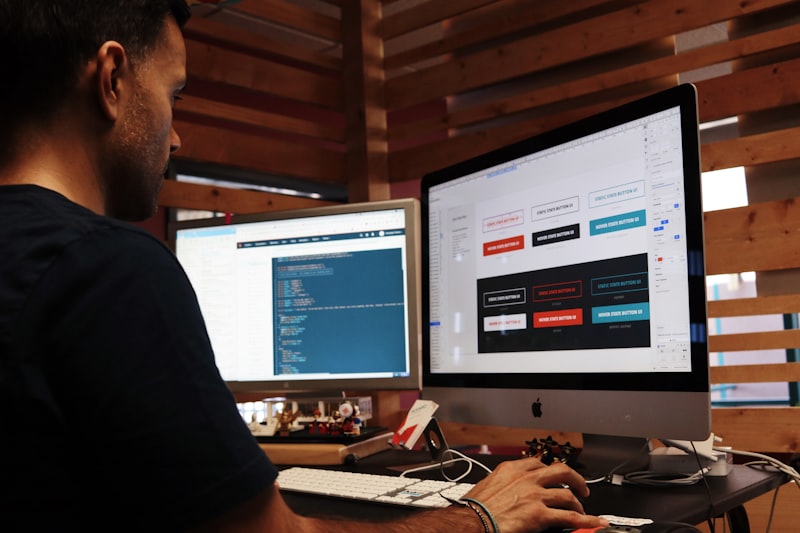
Blog and Website Content. Instead of spending $15 per image on stock photos, generate custom images that perfectly match your article’s topic. For example, if you’re writing about “faceless YouTube channels,” generate an image of a desk setup with recording equipment — no stock photo subscription needed.
Social Media Posts. Create consistent, branded visuals for Instagram, Twitter, or LinkedIn. The key is using the same style prompt across all your generations to maintain brand consistency.
Product Photography. Don’t have a professional camera? Generate product mockups with AI. Leonardo AI’s “Product Shot” feature is particularly good — it places your product in realistic settings with professional lighting.
## Important Legal Considerations
In 2026, the legal landscape around AI-generated images has become clearer but still requires attention. Copyright law in most countries states that AI-generated images cannot be copyrighted (US Copyright Office, March 2025 guidelines). This means anyone can use your AI-generated image. However, if you add significant human creative input — editing, combining multiple generations, adding original elements — you may qualify for copyright protection.
For commercial use, stick with tools that explicitly grant commercial rights: Adobe Firefly, DALL-E 4 (paid tier), and Leonardo AI (paid tier) all offer commercial licenses for generated content.
## Common Beginner Mistakes
Mistake 1: Expecting perfection on the first try. Rarely does the first generation match what you imagined. Plan to iterate 3-5 times before getting the right result.
Mistake 2: Using vague prompts. “A beautiful landscape” will give you generic results. Be specific about location, time of day, weather, colors, and style.
Mistake 3: Ignoring aspect ratios. If you need a vertical image for Instagram stories (9:16), don’t generate a square image. Most tools let you specify aspect ratios in the prompt or settings.
Mistake 4: Forgetting to upscale. Most free tools generate lower-resolution images. Always use the upscale/enhance button before downloading.
## Quick Start: Your First AI Image in 5 Minutes
1. Open DALL-E 4 (free tier) or Leonardo AI
2. Type: “A modern home office desk with an iMac, coffee mug, and plant, natural lighting, wide angle shot, photorealistic”
3. Click Generate
4. Wait 10-20 seconds
5. Download and use
That’s it. You’ve just created a professional-looking image without any design software or training.
## The Bottom Line
AI image generation in 2026 is accessible, affordable, and powerful enough for professional use. The free tools alone can handle most content creation needs — blog images, social media posts, product mockups, and more. The key is learning how to write good prompts, understanding the limitations, and respecting legal boundaries.
The businesses and creators who adapt to this technology will save thousands of dollars annually on design costs while producing more visual content than ever before.
References:
- Grand View Research, AI Image Generation Market Report 2025
- Journal of Digital Marketing, 2025 Edition — “Visual Content Impact on Reader Engagement”
- US Copyright Office, March 2025 — “Copyright Registration Guidance for AI-Generated Content”
Have questions or suggestions? We’d love to hear from you!