Data entry has a reputation problem. Search any freelancer forum and you will find people calling it the lowest-margin work on the platform, the thing you take when nothing else is available. That reputation was earned. It was also earned against a version of the job that mostly does not exist anymore.
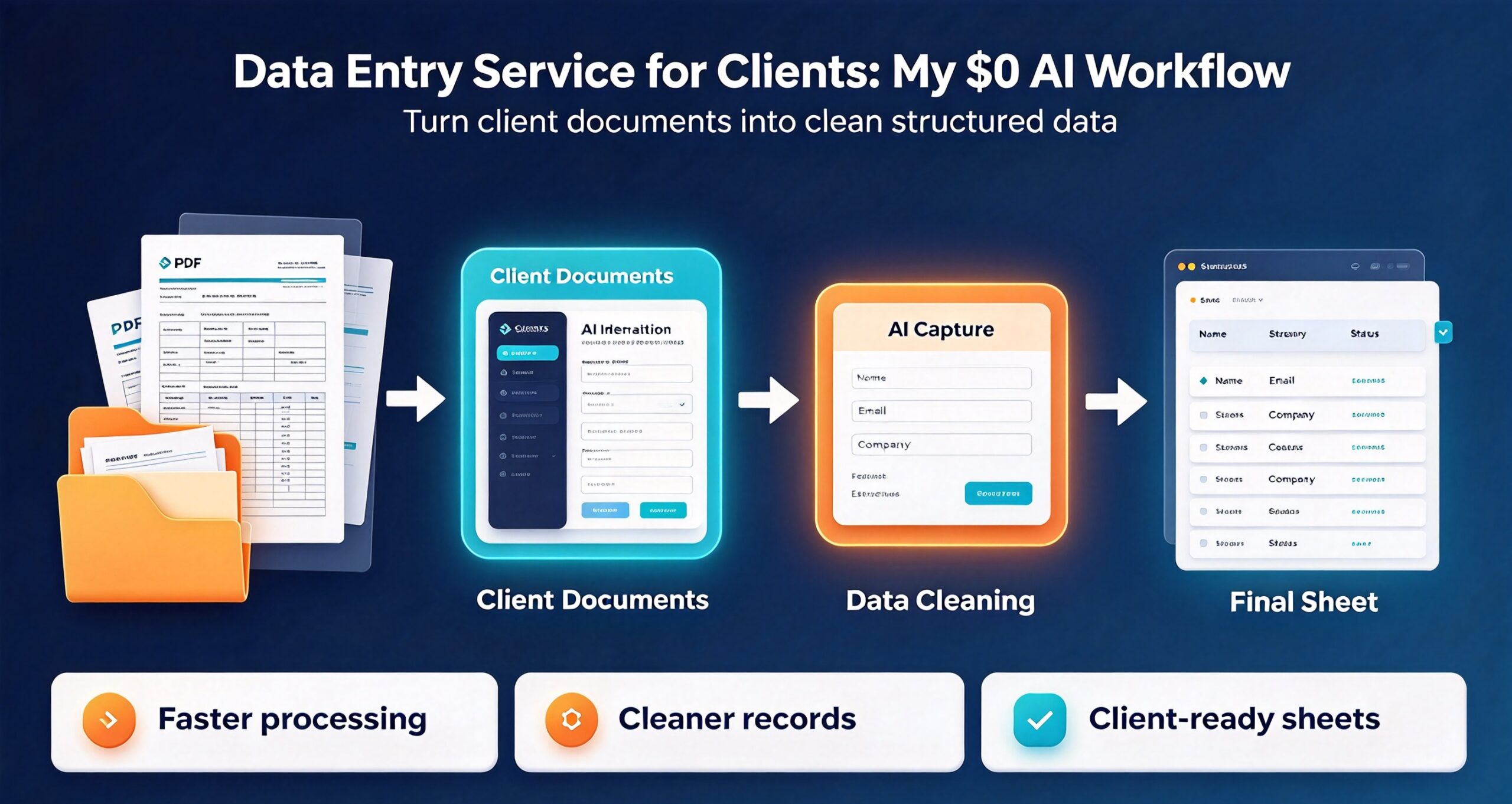
The version that still exists is this: a client sends you a scanned PDF, a photographed asset register, or a spreadsheet with 4,000 rows of inconsistent formatting, and they want it turned into something a machine can read. That work is not typing. It is judgment applied at volume, and it is the reason a data entry service for clients can still bill $35 to $85 an hour when the people selling “1000 entries for $10” are fighting over scraps.
I have run this service on and off for six years. Below is the workflow I use now, the tools that make it viable at solo-operator scale, and the pricing structure that stops it from becoming an all-nighters job.
What data entry work actually pays in 2026
Three tiers, and the gap between them is much larger than the gap in difficulty. Most freelancers collapse all three into one hourly rate and then wonder why the work never feels worth it.
Tier 1 �Pure transcription, $12 to $22 per hour. Scanned document to clean spreadsheet. No interpretation, no exceptions, a fixed schema. This is the tier the $10-per-1000-rows crowd competes in. The only path to profit here is volume, and volume means either a team or a tool that does most of the work. A solo freelancer should be trying to leave this tier, not win it.
Tier 2 �Structured extraction, $35 to $60 per hour. The source data is inconsistent and the output requires decisions. Invoices with three different layouts. Product catalogs where the same SKU appears five times with five spellings. Contact lists where the phone column has four formats in it. The client is paying for the judgment about what counts as a duplicate, not for the typing.
Tier 3 �Owned process, $85 and up or per-project. You are not doing the job, you are building the pipeline that does the job and running it. This is where the money actually is, and it is what this article is mostly about.
The mistake almost everyone makes: quoting Tier 1 prices while actually doing Tier 2 work because the client’s data turned out messier than the sample suggested. Fix that with a sample-first quoting rule, which I cover below.
The five-step workflow, start to finish
Each step exists because skipping it cost me money at some point. The order matters.
Step 1 �Get a real sample before you quote
Never quote from a description. Ask for “20 rows of the messiest part of the file.” The messiest part, not the first 20 rows, because the first 20 rows of any export are always the cleanest.
What you are looking for in those 20 rows:
- Format variance. Are dates consistent? Are phone numbers? Is there a column that is sometimes a number and sometimes text?
- Missing field rate. If 30 percent of rows are missing the field they most care about, this is a research job disguised as a data entry job, and it should be priced accordingly.
- Duplicate density. Eyeball the obvious identifier column. If you see repeats in the first 20 rows, the full file will be full of them.
- Source quality. Is it a text PDF or a scan? Can you select the text? A scan with a skewed page and a stamp over the numbers doubles the work.
Twenty rows takes four minutes to review and routinely changes a quote by a factor of three. It is the highest-leverage four minutes in the whole engagement.
Step 2 �Lock the schema in writing
Before touching data, build an empty version of the output: column headers, data type for each, an example row, and a rule for every ambiguous case you spotted in the sample.
The rule part is what separates a professional from a typist. Concretely:
- “Dates normalise to YYYY-MM-DD. Row 14 has 03/04/26 é¥?I assumed US format, 4 March. Confirm.”
- “Where a company appears with two spellings, I keep the one in the legal name column and log the variant.”
- “Blank cells stay blank rather than becoming NULL, zero, or N/A. Confirm which you prefer.”
Send that as a one-page document, get a reply that says yes, and every downstream disagreement disappears. Clients do not push back on a schema they approved. They push back hard on one they are seeing for the first time at delivery.
Step 3 �Extract with tools, not with eyes
A data entry service for clients only makes money when you stop reading with your eyes and start extracting with tools. If you are reading a PDF and typing into a spreadsheet, you are in Tier 1 forever. The toolchain that moves you up:
For scanned or image-only PDFs: run OCR first, then fix the OCR, not the original. If the output has to come back as a clean PDF rather than a spreadsheet, PDF Magician handles the round trip without a subscription. Even a mediocre OCR pass at 85 percent accuracy saves more time than it costs because you are correcting rather than transcribing. The correction pass is where your judgment goes, and it is the part the client is actually paying for.
For structured PDFs (invoices, statements, certificates): do not extract field by field. Batch the job. If you have 300 invoices with roughly the same layout, one template that pulls the fields consistently will outperform 300 individual reads, and the 12 invoices where the template fails are exactly where your hourly rate earns its keep.
For anything that ends up as a document per row: merge the generation step. If the output is “one certificate per attendee” or “one letter per client,” generating those from the finished spreadsheet in one pass is worth doing properly once and reusing forever é¥?this batch document generation workflow walks through the setup.
For CSV and JSON round-trips: never hand-edit. Convert, then validate programmatically. Hand-editing a CSV is how you silently destroy a cell containing a comma. Use a JSON to CSV converter for the transform, then re-import and diff the row counts as your check.
None of this replaces you. It removes the part of the job that a machine does better, which is exactly the part that was never worth $60 an hour.
Step 4 �Validate before the client sees it
Four checks, every file, every time. This is the step people skip when they are behind schedule, and it is the step that determines whether you get hired again.
Row count reconciliation. Input rows minus duplicates removed plus rows split must equal output rows. If it does not, you have lost or duplicated data, and a client will find it.
Field completeness report. How many blanks per column. Compare against the sample’s blank rate. A column that was 5 percent blank in the sample and is 40 percent blank in the output means your extraction is broken, not that the data is missing.
Spot-check 10 rows end to end. Pick them randomly, not the first ten. Read the source, read your output, compare character by character. Ten rows at random find systematic errors; ten rows from the top find nothing.
Type check every column. Sum the numeric columns. If a supposed number column has a sum, that column is clean. If the sum fails, something is text where it should be a number, and that something will break the client’s pivot table.
Step 5 �Deliver source, output, and a change log
Three files. Not one.
- The output in the format they asked for.
- The source as you received it, untouched, so they can verify.
- A change log listing every non-mechanical decision: rows removed as duplicates, values normalised, ambiguous entries resolved and how.
The change log is the artifact that generates repeat business. It is the difference between “I got a spreadsheet” and “I got a spreadsheet and I know exactly what happened to it.” For a client in a regulated industry, that log is often worth more than the data itself.
Pricing this service without losing money
Hourly pricing punishes you for getting faster, which is backwards for a service whose entire value proposition is that you are faster. Three structures that work better:
Per 1,000 rows, tiered by messiness. Quote a rate per thousand for clean structured input, a higher rate for inconsistent input, and a “request a quote” for scanned. The client picks a tier based on the sample you both already looked at, and the messiness conversation happens before the work rather than after.
Per document type with a volume break. “$4 per invoice for the first 100, $2.50 each beyond that.” Volume breaks are honest é¥?your per-unit cost genuinely falls é¥?and they push the client toward giving you the whole batch rather than a sample of it.
Retainer for recurring intake. If a client sends you the same export every month, that is not a project, it is a subscription. Price it as one. The work gets easier every cycle because your template improves, and the client stops shopping around because switching costs them a month of setup.
Remember that a data entry service for clients is priced on the messiness of the input, not the volume of the output �that is the whole reason a per-row rate needs a tier next to it.
The rule under all three: quote from the sample, never from the description, and put the sample’s messiness level in writing next to the price. “Quote based on the 20-row sample provided on 3 March, which contained 2 date formats and no scanned pages.” That sentence is the entire defense against scope creep.
How data entry work connects to a higher-value offer
The most useful thing about running a data entry service for clients is that it puts you inside their operations at a level of detail almost nobody else has. You see which fields they track and never use. You see the duplicate supplier records, the abandoned product categories, the contact list that has not been cleaned since 2019.
That knowledge is a natural upsell and it costs nothing to offer. When you deliver the change log, add one line: “Three things I noticed while going through this that are outside scope é¥?happy to walk through them if useful.” The list of things you noticed while doing the work is more credible than any cold audit proposal, because you have already proven you looked.
I have converted four of these into freelance SEO audit engagements simply by mentioning what the data suggested about their site. None of them felt sold to. All of them were things I had already seen.
Where the work actually comes from
Marketplaces give you the first client and rarely the third. In rough order of how much they have been worth to me:
Accounting and bookkeeping firms. They receive receipts and statements in every conceivable format and have no capacity to normalise them. They also have recurring volume, which is the important part. One bookkeeping firm can be a retainer that outlasts ten one-off marketplace gigs.
Small e-commerce operators. Catalog updates, supplier lists, product data migrations between platforms. The data is messy because it was never designed to be a database, and the owner knows it.
Event and membership organisations. Registration lists, certificate generation, attendee records. Highly seasonal, which is fine if you stack three clients with different seasons.
Researchers and academics. Survey data, archival records, coding of open-ended responses. Slow to pay, but the work is genuinely Tier 2 and they do not haggle on price because the money is grant-funded.
What does not work: competing on marketplace price. If your listing says “fast and accurate data entry, lowest rates,” you have entered a race with people who are subsidising their own time and will win it. Compete on the change log, the validation report, and the fact that you caught a duplicate problem they did not know they had.
The mistakes that make this job unprofitable
I have made all of these. Each one costs more than it looks.
Quoting before the sample. A client says “about 2,000 rows, pretty standard.” It is never standard. The sample costs four minutes and prevents the entire category of “this took three times as long as I quoted.”
Accepting an hourly cap. “We have budget for 10 hours.” Fine, then the deliverable is ten hours of work, not the full file. Never let a cap turn into an open-ended obligation to finish regardless.
Not charging for the cleaning. Clients routinely describe cleaning as part of entry. It is not. Deduplication, normalisation, and format reconciliation are separate work with separate value, and bundling them silently means you are doing the hardest part for free.
Skipping the change log to save time. The log takes twenty minutes. It is the single strongest predictor of whether the client comes back, and coming back is where all the margin is.
Working in the client’s live spreadsheet. Always work on a copy. Always. The one time you do not is the time you overwrite a column nobody backed up.
Frequently asked questions
How long does it take to do 1,000 rows? Clean structured input with a good template: two to three hours. Inconsistent input requiring decisions: six to ten. Scanned input without OCR: fifteen or more. This is why the sample-first rule exists.
Do I need to know Excel formulas? You need to know enough to validate, not enough to impress. Lookups, pivot tables, and conditional formatting cover 90 percent of what clients ask for. Anything beyond that is a scripting job, and scripting it is the faster path anyway.
What if the client’s data is worse than the sample? Stop and re-quote before continuing. Send them two screenshots of what you found and a revised number. Clients accept re-quotes from someone who has already started and can prove the problem. They do not accept them at delivery.
Is this work safe to automate fully? No, and the attempt is where freelancers get burned. The extraction can be automated. The judgment calls �is this a duplicate, which spelling is canonical, is this date US or EU �cannot be, and those calls are exactly what makes the service Tier 2 rather than Tier 1. Automate the typing, keep the judgment.
How do I price a one-off job from a marketplace? Price the sample you received, state the assumption in writing, and add a re-quote clause. Then take the job even if the margin is thin, because the marketplace job is a sample of the client, and the client relationship is what you are actually evaluating.
What to do this week
If you want to test whether this service works for you, do not build a landing page first. Do this instead:
Take one messy file you already have access to �an old export, a downloaded statement, anything with more than 200 rows and inconsistent formatting. Run it through the five-step workflow above end to end. Time each step. Write the change log even though nobody asked for it.
Then show the finished package to one person who runs a small business and ask what they would have paid for it. The answer tells you two things at once: whether the workflow is fast enough to be profitable at your target rate, and whether the deliverable reads as valuable to someone who did not watch you do it. Both answers matter, and neither is available from a marketplace listing.
The service works because the work is unglamorous and the demand is permanent. Every business generates records they cannot read. Very few people are willing to sit with those records and make them usable with care. If you are, the pricing follows.