Your blog post title is the first thing readers see in search results, on social media, and in their email inbox. A weak title means fewer clicks — even if your content is great. In this guide, I’ll show you how a free blog title generator can help you write headlines that actually get clicked.

Why Your Blog Title Matters More Than You Think
Studies consistently show that up to 80% of people read your headline, but only about 20% click through to read the rest. Your title determines your click-through rate (CTR), which is one of the strongest signals Google uses to decide where to rank your page.
A title that includes a keyword, a benefit, and a number tends to outperform vague or generic headlines. The problem? Coming up with a great title every single time is genuinely hard.
What Is a Free Blog Title Generator?
A blog title generator is a tool that takes your topic and produces headline ideas instantly. The best ones understand SEO: they weave in your focus keyword, keep titles under the ideal length, and make them specific enough to stand out.
You can try the free AI blog title generator on our site right now — it gives you five catchy, SEO-friendly titles in seconds, with no signup required.
How to Use a Blog Title Generator Effectively
Here is the exact workflow I use to turn a tool’s suggestions into high-performing headlines.
Step 1: Enter a Specific Topic, Not a Broad One
Instead of typing “marketing”, type “email marketing for small businesses”. The more specific your input, the more targeted and useful the generated titles will be.
Step 2: Look for Titles That Include a Benefit or Number
Headlines with numbers (“7 Ways”, “5 Mistakes”) and clear benefits (“Save Hours”, “Get More Clicks”) historically perform better in search and on social media.
Step 3: Plug the Best One Into Your SEO Title Tag
Once you pick a winner, make sure your SEO title tag matches it (or is very close). This tells Google exactly what your page is about.
5 Proven Tactics for Better Blog Titles
- Keep it under 60 characters so it doesn’t get cut off in Google search results.
- Put your focus keyword near the front of the title.
- Add a power word like “Free”, “Proven”, or “Essential”.
- Use a number or specific timeframe (“in 2026”, “in 7 days”).
- Make a clear promise about what the reader will learn.
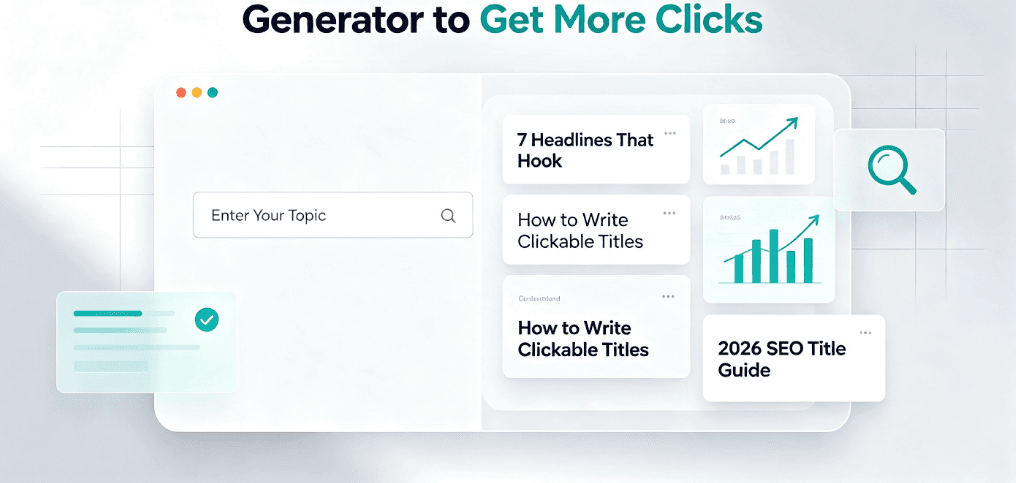
7 Headline Formulas That Consistently Get Clicks
Beyond any single tool, these proven headline formulas work across niches. Steal the structure, keep your own topic, and adapt the numbers:
- Listicle: “7 Ways to [Achieve Result] Without [Pain Point]”
- How-to: “How to [Do X] in [Timeframe] (Step-by-Step)”
- Mistake-based: “[N] [Niches] Mistakes That Are Killing Your [Result]”
- Comparison: “[Tool A] vs [Tool B]: Which Is Better in 2026?”
- Benefit-led: “The [Adjective] Guide to [Desired Outcome]”
- Question: “Why Is [Common Problem] Still a Thing in 2026?”
- Urgency: “[Result] in [Short Timeframe]: The Complete Cheat Sheet”
Pick a formula that fits your topic, feed it to a free blog title generator, and let the tool fill in sensible variations. You get speed plus structure.
SEO Title vs. Blog Title: What Is the Difference?
Many new writers use “title” and “SEO title” interchangeably, but they are two different things, and getting them right matters for both clicks and rankings.
- Blog title (H1) is what readers see on the page itself. It can be creative and a bit longer.
- SEO title tag is what shows in Google search results (the blue clickable headline). It should be under 60 characters and lead with your focus keyword.
They do not have to be identical, but they should not contradict each other. A common best practice: use a clear, keyword-first SEO title for search, and a punchier, benefit-driven H1 for the page. Most SEO plugins let you set each separately.
Blog Title Generator vs. Writing Titles by Hand
Writing every title from scratch is slow and repetitive. A generator removes the blank-page problem and gives you a starting point you can refine. You still add your judgement and voice — the tool just speeds up the brainstorming.
If you’re new to content creation, you might also want to learn how to create a winning article outline so your titles and structure work together.
Before and After: Real Title Transformations
Seeing the difference makes it click. Here are three real “weak to strong” title makeovers using only the tactics above:
- Weak: “Blogging Tips” → Strong: “7 Blogging Tips to Rank Higher in 2026 (Backed by Data)”
- Weak: “Email Marketing” → Strong: “Email Marketing for Small Businesses: A 30-Minute Setup Guide”
- Weak: “YouTube Ideas” → Strong: “10 YouTube Video Ideas That Get Views Without Expensive Gear”
Notice what changed: a number, a benefit, a timeframe, and a keyword near the front. That is the whole game. A blog title generator gets you 80% there; these tweaks finish the job.
FAQ
Q: Are blog title generators really free?
A: Yes, many offer free use with no signup. Our generator is free with no caps.
Q: How long should a blog title be?
A: For SEO, keep the title tag under 60 characters so it does not get cut off. The on-page H1 can be a little longer and more creative.
Q: Can a title generator improve my Google rankings?
A: Indirectly, yes. A better title raises CTR, and higher CTR is a positive ranking signal. It also helps Google understand your topic.
A click-worthy title matters most when your content is easy to read once someone arrives. Pair a strong headline with clear, scannable writing — learn how readability scores work and how to improve yours — so readers stay and convert.
More Free Tools to Help You Write
Beyond titles, you can speed up your whole writing workflow with our free article outline generator and free meta description generator. Together they help you write faster and rank higher.
Final Thoughts
A great title is the difference between a post that gets read and one that gets ignored. Use a free blog title generator to brainstorm faster, apply the tactics above, and watch your click-through rate improve. Try the free blog title generator and see what it suggests for your next post.