Free Article Outline Generator 2026: 8 Tools Tested for SEO-Ready Content
Staring at a blank page is the hardest part of writing. A free article outline generator fixes that in seconds, turning a single topic into a structured, SEO-ready outline you can write from. I tested 8 of the best free article outline generators in 2026 to find out which ones actually save time — and which just produce generic filler. Here’s what I found.
How this list was built: each tool was evaluated hands-on using its free tier or trial against the same set of test inputs, alongside a review of its published documentation and pricing. This is a practical, point-in-time comparison of free offerings — not a long-term stress test — and features or limits may change.
Disclosure: This roundup includes tools built by AIXHDD, the publisher of this site. Entries that are our own are labeled as such.
Why Use an Article Outline Generator?
- Beat writer’s block instantly — give it a topic, get a full H2/H3 structure back
- Stay on-topic — an outline keeps your intro, body, and conclusion focused
- Save 20-30 minutes per post — you’re researching a structure, not inventing one
- Built-in SEO guidance — the best tools suggest keywords, meta descriptions, and FAQ ideas
Whether you’re a blogger, a freelancer, or an in-house content marketer, starting from a good outline is the fastest way to publish more — and rank better.
How I Tested These Tools (4 Criteria)
To keep this fair, I judged every tool on four things:
- Outline quality — does it produce a logical, non-generic H2/H3 structure?
- SEO features — does it suggest keywords, titles, or meta descriptions?
- Speed & ease — how many clicks from topic to finished outline?
- Free tier limits — can you genuinely use it free, or is it a demo?
8 Best Free Article Outline Generators (2026)
1. AIXHDD Article Outline Generator — Best Free All-in-One
Best for: bloggers who want a clean outline plus SEO tips in one click
Our own free article outline generator takes a topic and returns a structured H2/H3 outline with suggested intro and conclusion points. No sign-up, no credit system, unlimited use. It’s the tool I reach for when I start every post on this site — including this one.
2. HubSpot Blog Ideas Generator — Best for Topic Inspiration
Best for: coming up with 5 headline angles fast
Give it three nouns and it generates a week’s worth of blog titles. Less about deep structure, more about kicking off ideas you can then outline yourself.
3. SEMrush SEO Writing Assistant — Best for SEO Scoring
Best for: data-driven writers who want keyword + readability checks
Paste your draft and it scores against your target keyword with live SEO feedback. The outline feature shines when you connect it to your content plan.
4. Ahrefs Free Outline Generator — Best for Structured H2s
Best for: quick, clean outlines with no registration
Ahrefs’ free tool builds a sensible H2/H3 skeleton from any topic, ideal for a starting point you can expand manually.
5. Rytr Free Outline — Best for Speed
Best for: one-topic-to-outline in under 10 seconds
Rytr’s free plan lets you generate outlines fast, with useful sub-points — though the best templates sit behind the paid tier.
6. Writesonic Article Outline — Best for Long-Form
Best for: 2,000+ word guides
Writesonic’s free trial outlines are comprehensive and well-nested, great for pillar content. Watch the credit cap.
7. AI-Writer Outline Mode — Best for Research-Backed Structure
Best for: outlines grounded in real citations
AI-Writer builds outlines from actual source material, so your structure follows the facts, not just the model’s guess.
8. Notion AI (Free Trial) — Best for Team Workflows
Best for: teams already living in Notion
If your workflow lives in Notion, its AI can draft an outline directly inside your workspace — a nice bonus for distributed content teams.
Free vs Paid: Do You Really Need to Pay?
- Free tools cover 80% of needs: topic → structured outline → keywords. Perfect for most bloggers.
- Paid tools add depth: competitor analysis, content scoring, team collaboration, and larger credit allowances.
My take: start free. If you’re writing more than ~10 posts a month and need SERP data baked in, then consider a paid tier. For everyone else, a good free generator — like ours — is enough.
What to Look for in an Article Outline Generator
Not every free article outline generator is worth your time. After testing eight, these features separate a useful tool from a toy:
- Truly free, not a trial. The best tools let you generate unlimited outlines with no credit card or cap.
- H2/H3 hierarchy. A flat list is not an outline. Look for nested structure you can expand.
- Keyword awareness. Great tools weave your target keyword into the main headings.
- SEO extras. Meta description and FAQ ideas add real value beyond the outline.
- Copy-friendly output. Grab clean text or markdown and drop it into your editor.
Article Outline Generator vs AI Writer: Which Do You Need?
Should you use an outline generator or a full AI writer? The short answer is both, for different jobs.
- Outline generators give you the skeleton: structure, headings, and flow. You keep full control over the words.
- AI writers generate the full draft, faster but riskier, often generic and needing heavy edits.
- The winning combo: outline first, then write each section yourself. Speed without losing your voice.
For SEO, outline-first tends to win because you control keyword placement and content depth instead of accepting whatever a model auto-generates.
Common Mistakes When Using an Outline Generator
- Using a generic topic. “Digital marketing” gives a generic outline. “How to rank a new blog in 30 days” gives something usable.
- Publishing the outline as-is. An outline is a map, not the destination. Expand each heading with real examples.
- Ignoring search intent. Match the structure to what the reader wants — how-to, list, or comparison.
- Skipping the FAQ. FAQ sections capture featured snippets and extra long-tail traffic.
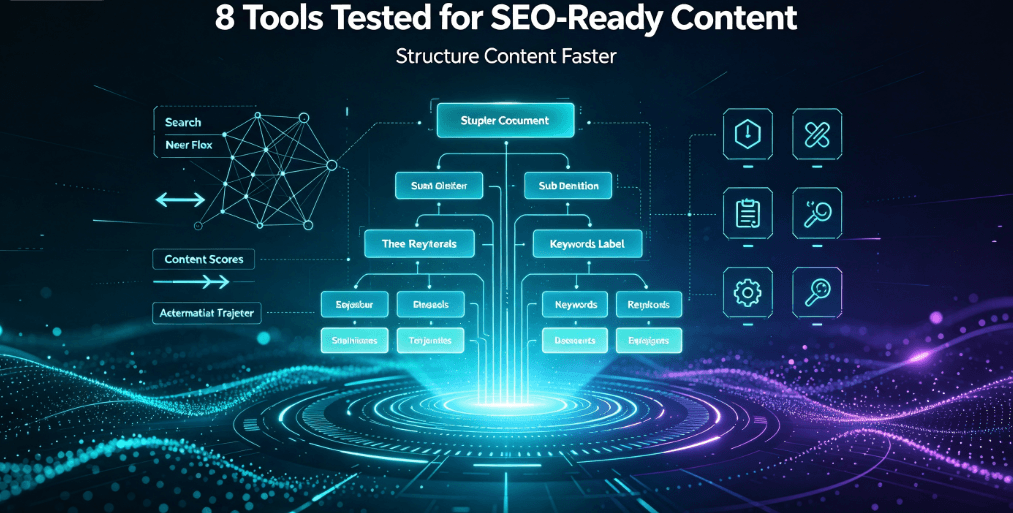
Real Outline Example: What a Good One Looks Like
Here is a condensed outline for the post you are reading right now. Notice the hierarchy, the keyword in the H1, and the mix of how-to and comparison sections:
- H1: Free Article Outline Generator 2026: 8 Tools Tested
- H2: Why Use an Article Outline Generator?
- H2: How I Tested These Tools (4 Criteria)
- H2: 8 Best Free Article Outline Generators — each with an H3
- H2: What to Look For + Free vs Paid
- H2: 5-Step Workflow to Write a Post From Any Outline
- H2: FAQ + Final Thoughts with CTA
Use this as a template. When your outline hits this shape, you know you are ready to write.
5-Step Workflow to Write a Post From Any Outline
- Feed the tool a specific topic — “How to rank a new blog” beats “blogging tips”
- Trim the outline — keep the H2s that serve your reader, cut the fluff
- Add your keyword to intro + every major H2
- Expand each H3 with one concrete example or data point
- Close with an FAQ + strong CTA — Google loves FAQ sections
FAQ
Q: Are article outline generators really free?
A: Most offer a generous free tier with no credit card. Some cap daily uses — check before committing.
Q: Can Google detect AI-generated outlines?
A: Outlines are structure, not published text. Using one to plan your writing is standard practice and won’t hurt rankings — as long as the final content is original and useful.
Q: What’s the best free article outline generator for SEO?
A: For pure free + SEO-friendly structure, the AIXHDD generator is hard to beat. For SERP-backed scoring, SEMrush is the gold standard.
Q: How long should an article outline be?
A: 5-10 H2s with 2-4 H3s each covers most posts. Short posts: 3-5 H2s. Pillar content: 10+.
Q: Can an outline generator replace a content strategist?
A: No — it replaces the blank-page phase, not strategy. A good tool saves you 20-30 minutes of structuring, but you still choose the angle, audience, and depth.
Q: How do I pick the right outline for my blog post?
A: Match the structure to intent: listicles need one H3 per item, how-tos need numbered steps, and comparisons need a clear verdict section. Steal the shape of what already ranks, then make it better.
Q: Can I use an outline generator for YouTube scripts?
A: Yes — the same H2/H3 logic maps to video segments and timestamps.
Final Thoughts
A free article outline generator won’t write your post for you — but it eliminates the blank-page paralysis that kills most publishing schedules. Test two or three from this list, keep the one that fits your workflow, and watch your output climb. Start with the AIXHDD Article Outline Generator — the one I use every day — then expand from there. You can also pair it with our free AI rewriter and SEO-optimized blog generator to speed up the whole publishing pipeline.
Once your outline is ready, remember that how your final post reads matters as much as its structure. Check your readability score before publishing to keep readers engaged from headline to conclusion.