Your website is losing customers. You just can’t see it.
Most WordPress sites have three or four problems nobody ever told the owner about — slow pages, missing image descriptions, pages with no links pointing to them. None of it shows up on the surface. All of it costs you visitors.
Get My Free Report — No Charge, No Signup
Takes 48 hours. Delivered as a PDF. No sales call.
What we actually look for
Three categories. Every finding gets a location, a number, and an effort estimate.
Speed
Your homepage takes longer to load than it should. We measure it on real connections — mobile and desktop — and tell you the number.
Structure
Pages that no other page links to. Images without descriptions. Content buried three clicks deep. Google can’t rank what it can’t reach.
Health
Broken links, missing meta descriptions, duplicate titles, pages fighting each other for the same keyword.
Here’s what a report looks like
Four to five pages. Plain English. No jargon, no acronym soup.
Not “improve SEO” — we say exactly which page, and how many other pages link to it.
/about/ has no meta description, and 14 other pages link to it.
A measurement, not an opinion. You can verify it yourself in five minutes.
This page loads in 4.2 seconds. 53% of mobile visitors leave after 3.
So you can decide whether to hand it to your own developer or to us.
"20 minutes." "One plugin setting." "Needs a decision from you."

The five issues most likely to be costing visitors right now, ordered by impact. Every one of them came with a location, a number, and a time estimate.
HIGH
81 images have no description
81 images have no description attribute — out of 391 images across 40 pages.
Alt text is how Google understands an image and how screen readers describe it. Missing it means you never appear in Google Image results — a traffic source most sites ignore.
Effort: 2–5 minutes per image
Upside: New traffic from image search
MEDIUM
Your server takes 1443ms to respond
We loaded the site from a clean connection and measured 1443ms before the server started responding. Measured more than once to rule out a one-off spike.
Every visitor waits for the server before anything appears on screen. Under 800ms feels instant; above 2 seconds people start leaving.
Effort: 20–40 minutes
Upside: Biggest single win on most sites
MEDIUM
Your homepage loads 26 separate script files
The homepage loads 26 separate external script files. Each one is a round-trip the browser has to wait on before it can finish rendering.
Each script is a round-trip the browser has to wait on before it can finish drawing the page. Most sites only need a fraction of what they load.
Effort: 30–60 minutes
Upside: Faster first paint, especially on mobile
MEDIUM
3 pages nothing links to
We checked 40 pages, followed every internal link, and counted how many other pages point to each one. 3 of them have none at all.
Google finds most pages by following links. A page with no internal links is nearly invisible — it rarely ranks, no matter how good the content is.
Effort: 10–15 minutes
Upside: Those pages start getting found
MEDIUM
Your homepage HTML is 325 KB
The raw HTML for your homepage is 325 KB. Under 150 KB is the target.
Every visitor downloads this before anything is drawn on screen. Large HTML usually means page-builder output bloat, and it delays everything after it.
Effort: 1–3 hours
Upside: Faster load on slow mobile connections
Four to five pages. One issue per page. Plain English — you can hand it straight to your developer, or to us.
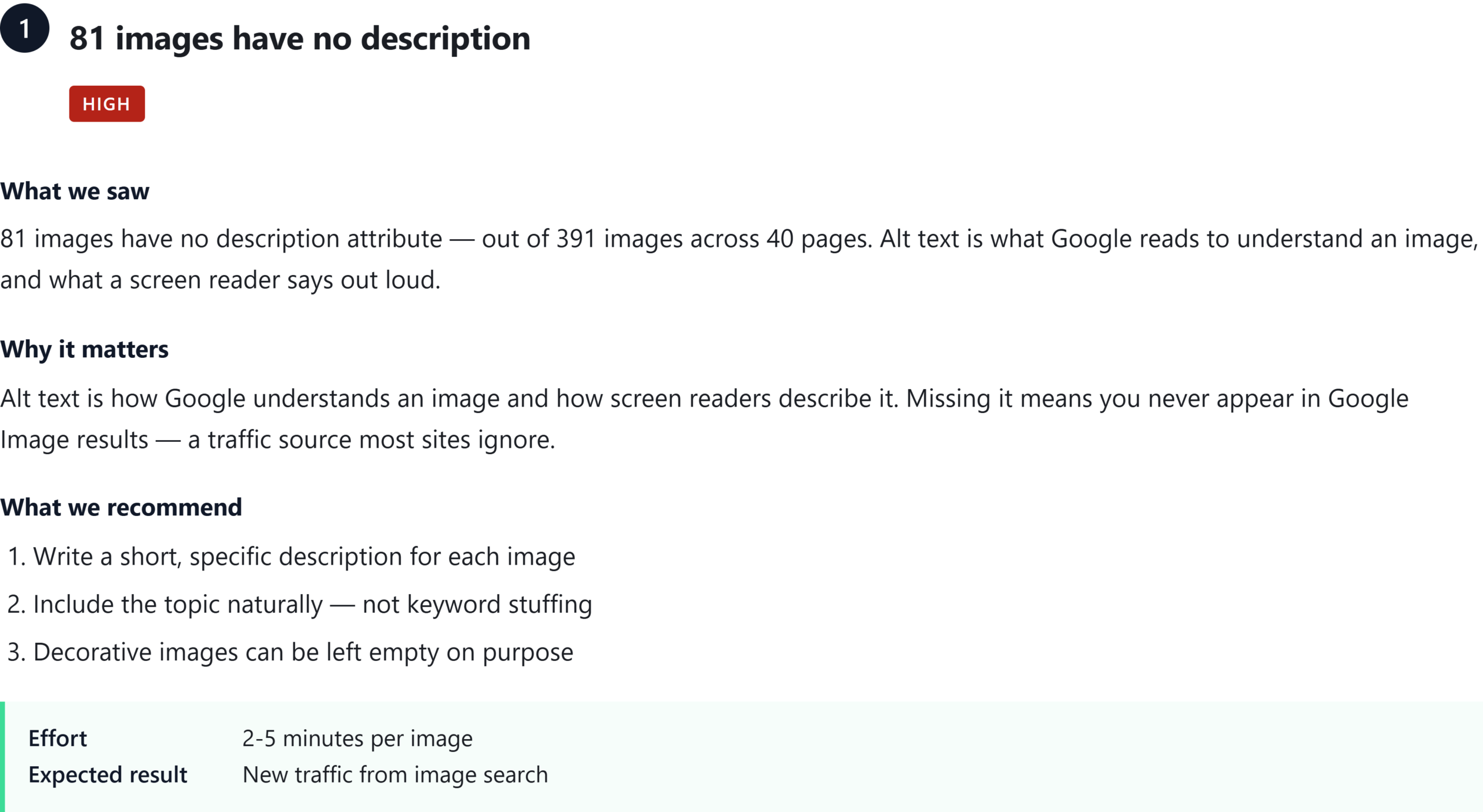
Click to open full size ↗
One page from an actual delivered report — the issue format is the same for everything we find. Click it to read the original at full size.
What happens after you get it
No follow-up sequence. No drip campaign. You get a document.
You read it
Four to five pages. Plain English. If you want to hand it to your own developer, do it — the report is yours to keep either way.
If you want it fixed, we fix it — $299
We fix the three most damaging items on the report. 48 hours, start to finish.
- The three highest-priority fixes
- Before/after screenshots for each one
- A short note explaining what changed and why
- New pages or new design work
- Content writing
- Anything not on your report
Or don’t. That’s fine too
The report is free. There’s no expiry, no follow-up sequence, and no obligation. Roughly half the people we send reports to just use them to brief their own team.
Pricing
Public prices. No discovery call required to find out what it costs.
Free
- 5-page diagnostic report
- 6 identified issues with severity
- Load-time measurements
- Delivered within 48 hours
Quick Fix
- Everything in Free, plus:
- The 3 most damaging issues fixed
- Delivered in 48 hours
- Before/after evidence
- 14 days of follow-up support
Ongoing Care
- Monthly scan and report
- All critical issues fixed each month
- New content checked before publishing
- Direct email access
- Cancel anytime
Care is capped at a small number of sites. If the button is here, there’s room.
Questions people ask
Is this just an automated scan?
The scan is automated. The report isn’t. A tool can tell you a page is slow. It can’t tell you whether that page matters to your business. We look at what the scan found and write the report around what’s actually costing you something.
Do I need to give you my password?
No. Not for the free report — we scan the public site exactly the way Google sees it, and we never touch the inside.
If you buy the fix, we need a way in. You should not hand over your own password, and we will not ask for it. What we ask instead is this: create a new user in WordPress, give it an admin role, name it something obvious like siteguard-temp. When the work is done, you delete that user. One click, and our access is gone whether we like it or not.
That is the whole point. The access lives on your side. You create it, you remove it, and you do not have to trust us to do the removing.
Will this improve my Google rankings?
Sometimes, and sometimes a lot. But we won’t promise a position or a traffic number, and you should be suspicious of anyone who does. What we fix are the things that are objectively broken. Fixing them removes obstacles — it’s not a guarantee.
What if I use Shopify / Squarespace / Wix?
We only work on WordPress. It’s all we do, which is why we’re good at it.
How do I pay?
PayPal. Invoice for the monthly plan.
What if I don’t like the result?
If we haven’t started, you get a full refund. If we’ve started, we finish the three items and show you the evidence. If a fix genuinely doesn’t hold, we redo it.
What if I do not know how to create a user?
Then we do it together on a screen share, and it takes about ninety seconds. If you would rather not, your web host or your web person can do it for you — it is a standard WordPress task that anybody who has logged into wp-admin before has done. You do not need to understand what an application password is, and we will not ask you to make one.
Why is it only $299? What’s the catch?
There isn’t one. $299 is an entry price because we’re building a track record and we’d rather have your case study than your margin. What you’re buying is the diagnostic work and the hands — not a brand name or an account manager. If the site needs more than three fixes, we’ll tell you before we start, and you can say no.
Get your free report
We’re a small team. We build WordPress tools and fix WordPress sites — no account managers, no sales calls, no handoff. The report you get is written by the same people who’d do the work, which is why it’s blunt.
One report per site. We read every request ourselves.
We reply from a real address — check your spam folder if you don’t hear back within 48 hours.
SiteGuard is our scanning engine. The report is written by a person.
See how the tool works → · Terms · Refunds · Disclaimer
