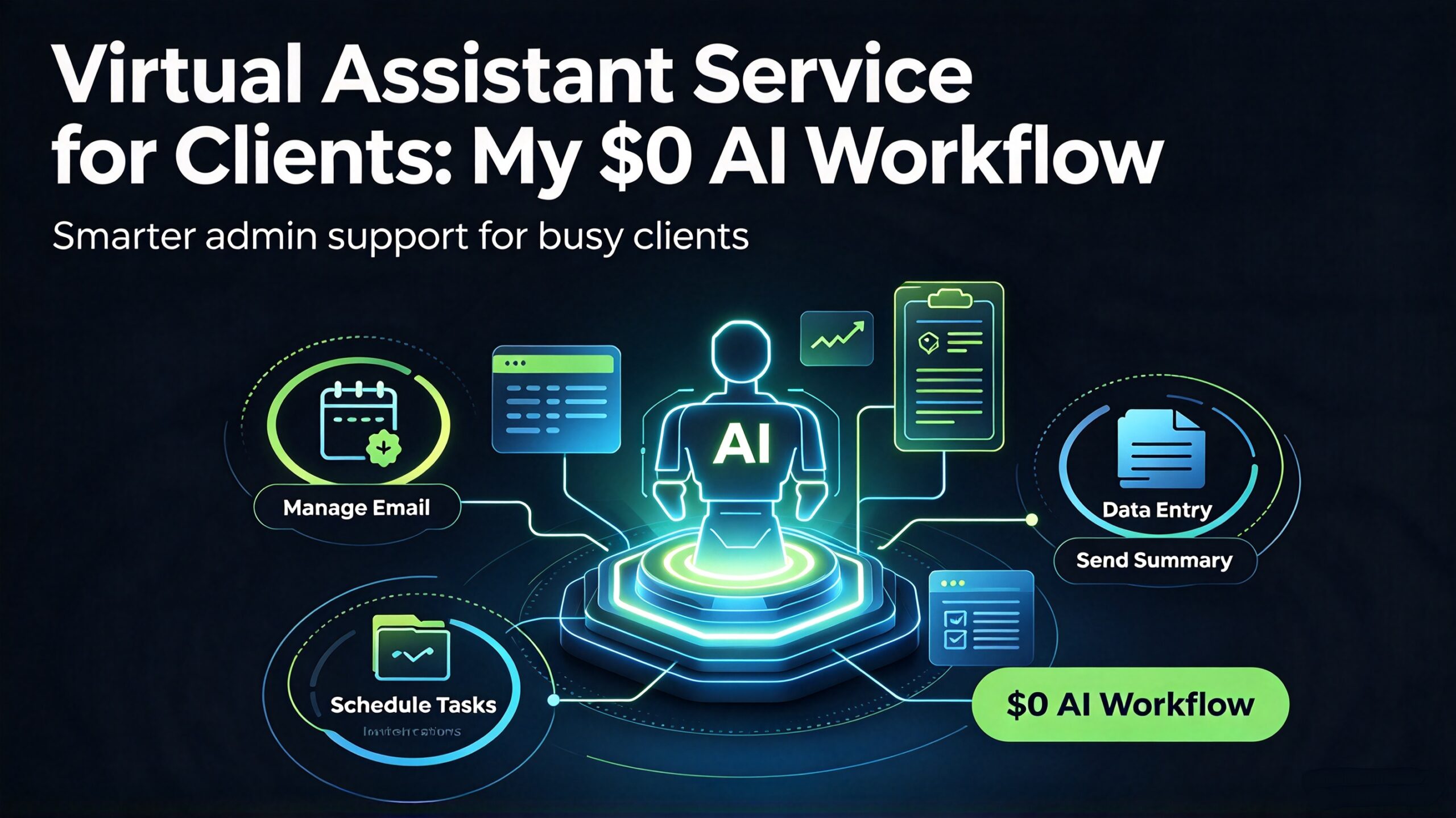
A virtual assistant service for clients is the quietest way to earn reliable freelance income — and almost nobody runs it properly. Most people who try it picture chaos: a dozen inbound requests, endless email threads, and a calendar they can never fully control. The assistants who actually make it work do the opposite. They productise a small set of repeatable tasks, run them through a $0 stack of AI tools, and deliver a predictable result on every request. This is the exact system I use to run a virtual assistant service, from the intake form to the monthly retainer — including how I keep client data private while still moving fast.
I run virtual assistant projects for clients using a $0 stack of tools plus a fixed eight-step workflow. Everything below runs in a browser or a one-time desktop app, so client documents and inbox content never sit in a recurring cloud subscription. If you already do data cleaning work for clients, this is the broader service wrapper around it — the offer you can actually charge a retainer for.
Why a Virtual Assistant Service Sells So Easily
Every business runs on tasks that are important but not worth a specialist’s time. Inbox triage, scheduling, research, document formatting, data cleanup, presentation building, follow-up emails. None of these need a full-time hire, and none of them are fun for a busy founder. That gap is the entire market for a virtual assistant service — a genuinely recurring need with an obvious buyer.
The reason most freelancers avoid it is fear of scope creep. A vague “I’ll help with whatever you need” offer is a recipe for unpaid overtime. But the dirty secret of the trade is that 80% of assistant work is mechanical and rule-based. Sorting email, formatting a document, cleaning a spreadsheet, drafting a standard reply — that 80% is exactly what a workflow can automate, leaving you the 20% that actually needs judgement.
Three things make a virtual assistant service worth paying a retainer for:
- Reliability — a client needs the same task done the same way every week. Consistency beats brilliance.
- Speed — a fast turnaround on small tasks is worth more than perfect work that arrives late.
- Privacy — you are handling inbox content, documents, and sometimes credentials. Clients notice when your workflow keeps their data off third-party servers.
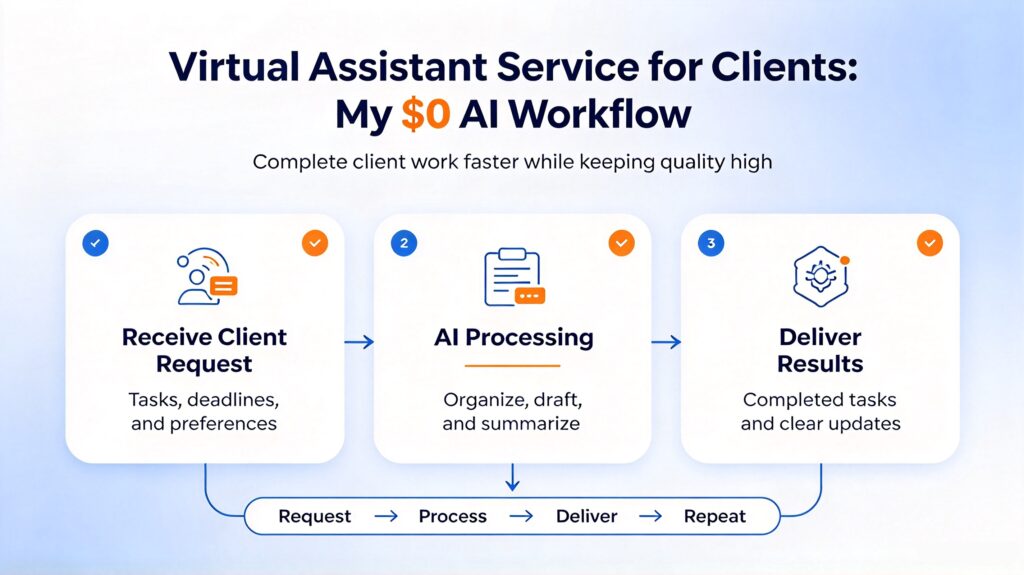
The 8-Step Workflow
1. Intake, scope, and the task catalogue
Before taking a single request, I agree on three things in writing: the scope (which task types I handle), the turnaround (how fast each type is delivered), and the cadence (how many hours or tasks per week). I turn this into a short task catalogue — a single document the client can point at. If a request is outside the catalogue, it becomes a separate quote, not a surprise favour. That one document is the difference between a clean service and an endless inbox.
2. Inbox and communication triage
The first repeatable task in almost every assistant engagement is managing communication. I set up rules that sort incoming mail into three buckets — needs a reply, needs a decision, and FYI — so the client only ever sees the top two. For standard replies (confirmations, scheduling, polite declines), I keep a library of templates and personalise the first line each time so nothing reads like a robot sent it. This is where a virtual assistant service earns its keep immediately: the client’s inbox goes from overwhelming to quiet in a week.
3. Scheduling and calendar management
Scheduling looks trivial until time zones and double-bookings appear. I keep a single shared calendar, block focus time the client has asked me to protect, and always confirm meetings with a written summary of who, when, and what. If the client needs documents attached to a meeting, I generate the agenda or briefing pack first so it’s ready before the invite goes out. A calm calendar is one of the most visible signs a virtual assistant service is working.
4. Document formatting and generation
Clients constantly need the same document re-skinned: a proposal, an invoice, a report, a set of letters that differ only by name. I use DocGenTool, a local AI document generator, to produce batches of Word, PDF, and PowerPoint files from a single source. When a client sends over a 60-page PDF that needs splitting, merging, or converting, I run it through PDF Magician — an offline PDF tool that handles edit, convert, merge, and batch operations without uploading the file anywhere. The batch document generation workflow covers the same ground if you want the free route first.
5. Research and summarising
A large share of assistant requests are research: “find me three vendors for X,” “summarise this 40-page report,” “pull the key points from this call.” I read the material and hand back a tight brief — the decision, the options, and a one-line recommendation. Tools help with the mechanical part; the value is in the editing. When a source is a long transcript, I run it through a summary generator to locate the passages worth keeping, then rewrite the summary myself so it sounds like a colleague, not a machine.
6. Data cleanup and spreadsheet work
Messy spreadsheets are the assistant’s battleground: duplicate rows, inconsistent formats, mismatched columns, stray whitespace. I normalise every list before it goes anywhere — dedupe, standardise dates and names, split or merge columns as needed. This is the same discipline behind the data cleaning service for clients, applied as one task inside the broader assistant offer. Clean data is what makes every later step — mail merge, report, import — actually work.
7. Transcription and notes
Meetings and voice memos pile up faster than anyone can type them out. I generate a first-pass transcript with ClipScribe Pro, an offline AI subtitle and transcription tool, then correct it by hand, because auto-transcripts still mangle names and jargon. Accurate notes are one of the fastest ways a client notices quality, and they double as the raw material for follow-up emails and action lists.
8. Delivery, logging, and the weekly recap
Every task is delivered the same way: in a clear folder or thread with a one-line summary of what was done and anything the client needs to know. I keep a simple log of every request — what, when, how long — because that log is what justifies a retainer at renewal time. At the end of each week I send a short recap: tasks completed, hours used, anything waiting on the client. That single habit removes almost all of the friction that kills assistant relationships.

The Client Handoff: Where Projects Get Repriced
The delivery moment is where a monthly arrangement becomes a long-term one — or dies. Most assistants drop the work and wait, then wonder why the client drifts away after two months. The handoff is your chance to demonstrate that you run a service, not a favour.
I always close each week with a specific, low-pressure suggestion for the next cycle: “If the calendar work is saving you time, I can take over the follow-up emails too and keep the same rate.” That sentence is where the money compounds. Assistant work is inherently overlapping — each task reveals the next — so packaging the adjacent task at a steady rate turns a three-hour week into a ten-hour one without a new sales pitch.
I also set the boundaries early and honour them. Scope is what’s in the catalogue; anything else gets quoted. Clients respect a clear line far more than an eager yes that turns into a missed deadline. Predictability, not heroics, is what keeps a virtual assistant service booked out.
What I Charge for a Virtual Assistant Service
Assistant pricing is usually monthly retainers or per-task packages, never per-hour for the whole arrangement (per-hour punishes you for getting fast). Here’s how I scope it:
- Starter retainer (5 hours/month, one or two task types): $150–$300 per month.
- Standard retainer (10–20 hours/month, full task catalogue): $400–$900 per month.
- Per-task packs (e.g. 50 formatted documents, 100 cleaned rows, 10 transcripts): priced per batch, discounted over five units.
- Project sprints (launch support, event prep, data migration): fixed fee scoped up front.
The upsells clients ask for almost every time: a social media management layer, a set of email sequences, and a refreshed resume or bio when the founder is networking. Each is a natural add-on once you already own the client’s routine tasks.
How I Keep Turnaround Fast Without Cutting Corners
The single biggest reason freelancers lose assistant clients is a slow week after a busy one. Assistant work has a hard dependency chain — you can’t send the follow-up before the notes are done, and you can’t build the report before the data is clean — so one slow step wrecks everything downstream. The fix isn’t working faster, it’s removing the slow steps entirely.
That’s why I do all the heavy lifting locally with tools that process files in batch. Formatting twenty documents one at a time is death; generating them in one pass takes minutes. Same with transcripts: generating a draft and correcting it is faster and more accurate than typing from scratch. The goal is to spend your time on judgement — scope, priority, tone — and let the tooling handle everything mechanical. That’s the difference between a retainer that takes ten hours and one that takes three.
I also build a small template pack for each recurring client: their document templates, their email tone, their preferred calendar rules. The first month is always the slowest because you’re learning their business. By month three, half the decisions are already made, and the per-month time drops sharply — which is exactly when you can take on another client or raise your rate.
Where the Money Actually Is in a Virtual Assistant Service
The most reliable income isn’t the glamorous project — it’s the boring recurring work: weekly inbox triage, calendar upkeep, document batches, data cleanup. These repeat on a schedule with a predictable format, which means you can template them and get faster and faster. That’s how a virtual assistant side hustle turns into a predictable income floor.
The high-margin layer sits on top of that base. Once a client trusts your routine work, they’ll pay more for the tasks that touch revenue directly — a sales document, a launch checklist, a clean dataset for a decision. Those command two to three times the routine rate because the stakes are higher. And because you already handle the client’s data, you are the obvious person to do them.
Common Mistakes to Avoid
Before the checklist, a note on handling client data. When you take on inbox and document work, you are holding confidential information, so treat privacy as part of the job. For a recognised set of controls to work against, the NIST Cybersecurity Framework is a freely available reference, and for anything involving recorded meetings or captions, the W3C’s captioning guidelines are the standard I work to.
A short list of the traps that cost assistants clients, and how to sidestep each one:
- Quoting per hour. It punishes efficiency and caps your income. Quote a monthly retainer or a per-task batch.
- Accepting any request. “Whatever you need” destroys your schedule. Define a task catalogue and quote anything outside it.
- Skipping the written scope. A misunderstanding about turnaround wastes a week. Get scope and cadence in writing.
- Shipping raw AI output. Unedited transcripts and auto-drafts embarrass the client — and you. Always review before delivery.
- No weekly recap. If the client can’t see what you did, they can’t justify keeping you. Send a short summary every week.
- Mixing client data. Keep every client’s files separate and off shared cloud folders. One leak ends the relationship.
Building the Offer: A Repeatable Product, Not One-Off Favours
The assistants who earn consistently stop selling “admin help” and start selling a named package: a defined scope, a fixed monthly price, a promised turnaround, a clear outcome. “Inbox and calendar management, 10 hours a month, replies within one business day, $600/month” is infinitely easier to buy than “I can help with admin, let’s chat.”
I lead with a middle tier because it’s the best value and the easiest yes, keep a small entry tier to open the door, and use a premium tier to anchor the price. Every tier includes the same core: the task catalogue, a fixed turnaround, and the weekly recap. The only thing that changes across tiers is how many hours and how many task types. Once the offer is packaged, marketing it is simple — you show a before-and-after of an inbox or a spreadsheet and let the result be the proof.
Start With One Task, Done Well
Don’t wait for a dream client with a 40-hour request. Take one recurring chore you already know how to do — cleaning a spreadsheet, formatting a document, triaging an inbox — and turn it into a properly packaged offer with a fixed price and a promised turnaround. That single polished result, delivered fast and privately, will sell your virtual assistant service more effectively than any pitch.
If you want to try the $0 stack first, the free AI tools cover the browser-based pieces, and the AI Power Suite bundle covers the local, one-time desktop tools for documents, PDFs, transcripts, and voice. Do one task well, package it, and see how fast a virtual assistant service can book itself out.