
I took on a bookkeeping service for clients two years ago because a small studio I was freelancing for kept handing me a shoebox of receipts every quarter. They were paying a local firm $180 a month to get the same numbers back, two weeks late, with no explanation of what went wrong. I opened a free spreadsheet, spent an afternoon building a categorization system, and delivered the first month in about three hours. That month the studio saved money, and I learned a business model that still pays me today.
This is not a theory post. Below is the exact offline workflow I use for a bookkeeping service for clients: the folder structure, the categorisation rules, the reconciliation routine, the monthly close package, and the parts I outsourced to paid software before I found free replacements for each one. Everything runs on tools you already own.
Bookkeeping service for clients: what you are actually selling
Clients do not buy data entry. They buy three things at once. First, certainty: someone is watching the numbers so a surprise tax bill does not appear in April. Second, decision speed: they can ask “can I afford a new hire” and get an answer in ten minutes instead of ten days. Third, a clean handoff: their accountant receives something tidy at year end, which means lower accounting fees.
Most small businesses that hire a bookkeeping service for clients are not failing at bookkeeping because the work is difficult. They fail because nobody owns the routine. The owner is tired at 11 pm, the receipts are in a phone photo roll, and the bank feed has 400 unreviewed transactions. Your service is a calm, repeatable routine plus the discipline to close each month on time.
Where this differs from general admin work: a virtual assistant service for clients covers a wide spread of tasks, while bookkeeping is a single narrow function that has to be done the same way every month or the numbers stop making sense. Narrow and consistent beats broad and irregular.
The tool stack (everything here is $0)
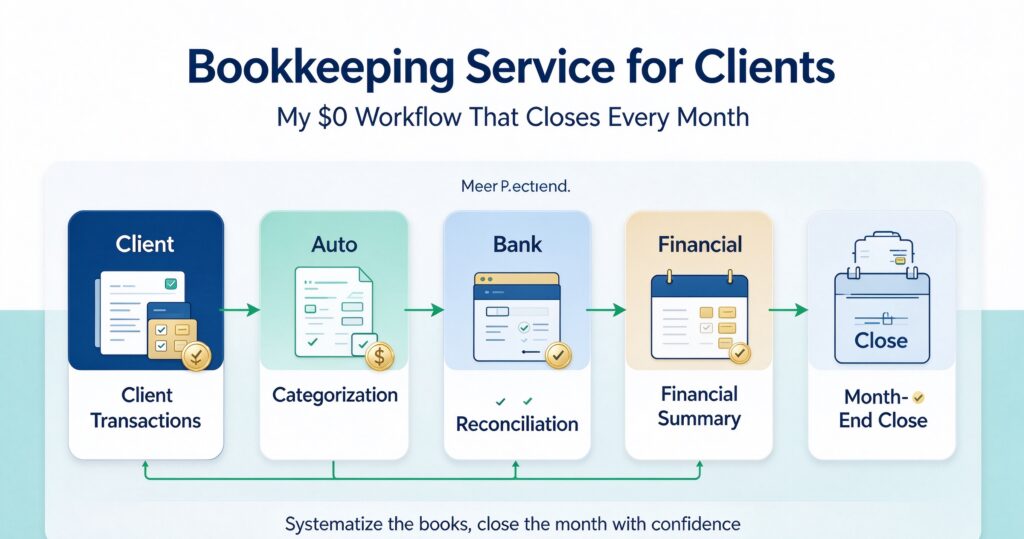
My stack for a bookkeeping service for clients is deliberately boring:
- Spreadsheet (LibreOffice Calc, or Google Sheets if the client wants shared access) for the ledger, the category rules, and the reconciliation sheet.
- A local OCR helper for turning receipt photos into text so you are not typing vendor names all day. Any free offline OCR utility works; the ones shipped with your OS are enough for a first pass.
- A single naming convention for files, because file chaos is the real time cost, not arithmetic.
- A monthly PDF report generated from the spreadsheet, exported and email-attached. No dashboard subscription needed.
- A client-facing checklist so you never run into an unanswered question at close time.
What I do not use: a paid bookkeeping platform with a per-client seat fee. Sitting between four and eight small clients, per-seat pricing quietly eats 20 to 30 percent of your revenue for features you can replicate with three formulas and one pivot table.
If you need to keep client documents tidy alongside the ledger, batch document generation from a spreadsheet saves a surprising amount of time — see turning one spreadsheet into 50 client documents in a single run. For the extraction step, structured cleaning matters more than OCR quality — my data cleaning service workflow covers the normalisation rules I reuse here.
Step 1: build the folder and file system before touching data
The first hour of every new engagement is setup, and it is the hour that decides whether month three is a two-hour job or a six-hour job.
I use this structure, one root folder per client, mirrored in their cloud drive:
/00_Client— contract, scope, bank logins process notes, reporting calendar./01_Statements— bank and card statements, one subfolder per month, PDF as namedYYYY-MM_bankname.pdf./02_Receipts— one subfolder per month; each file isYYYY-MM-DD_vendor_amount.pdf. Renaming on arrival is non-negotiable./03_Ledger— the working spreadsheet. One file per financial year, one sheet per month plus arulessheet and areconciliationsheet./04_Reports— the monthly close PDFs you send to the client./05_Year-End— the tidy handoff bundle for their accountant.
Because receipts are frequently photographed, a batch photo pipeline helps: the same pattern in my batch product photo workflow works for receipt images — crop, deskew, straighten brightness, then OCR. Photos taken in poor light are the single biggest source of OCR errors in this business.
Step 2: write categorisation rules once, then never think about them again
This is the highest-leverage piece of a bookkeeping service for clients. In the spreadsheet’s rules sheet, each row has three columns: match text, category, and tax flag. A lookup formula in the ledger pulls the category, and you only ever touch the residual rows where no rule matched.
Rules of thumb I use, learned from getting them wrong:
- Be specific, never generic. “Amazon” is a trap, since it can be office supplies, software, or client resale stock. Match
AMZN MKTP US*XXstyle transaction descriptors, or leave it to manual review. - Order matters. Scanning from most specific to most general, and stopping at the first match, prevents a broad rule from swallowing a specific one.
- The bank memo is grounded truth; the receipt is the explanation. When the two conflict, keep the bank amount and flag the receipt for a client question. Never alter the bank figure to make the receipt fit.
- Audit trail over speed. Every manual category change gets a note in a
logcolumn with a short reason. This single habit has saved me in two client disputes.
The accounting vocabulary attached to each category — write-offs, depreciation schedules, prepaid items — is not something you invent. Borrow standard language from public reference material and cite it when you explain a category to a client. The IRS small business and self-employed hub is a reasonable neutral starting point for a US client, and the equivalent national tax authority page for anywhere else.
Step 3: the monthly reconciliation routine
I block a fixed two hours per client per month, always in the same week of the month. The routine never changes.
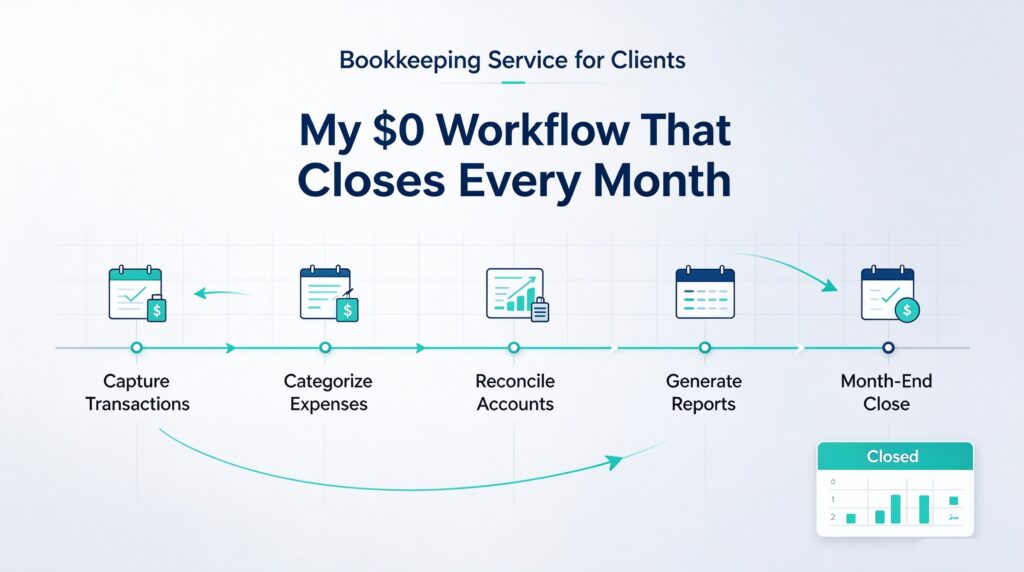
- Import the bank and card statements into the month sheet. Match by date and amount, not by row order.
- Run the rules lookup. Expect 60 to 80 percent auto-categorised after month two.
- Clear the residual list in a single pass. Leave a note for anything that needs the client.
- Reconcile the closing balance against the statement. The difference must be exactly zero. If it is not, find the reason before closing — never carry a mismatch into the next month, because it compounds into an unrecoverable mess.
- Review the unusual items. Anything greater than roughly twice the client’s median transaction, plus anything international, refunds, or a new vendor. This is where real errors live.
- Export the report and send it. Send it on the same day every month, even if it is unexciting. Predictability is what makes clients renew.
Time-wise, a client with 150 monthly transactions settles into about 90 minutes once the rules mature. If yours is still taking six hours in month five, the problem is the rules sheet, not your speed.
Step 4: the monthly close package that justifies your invoice
This is the part most freelancers skip, and it is exactly what keeps a bookkeeping service for clients profitable. My package is a single PDF with six pages:
- Page 1 — cover: client name, period, closing balance, and a one-line status.
- Page 2 — summary: income, expenses, net, and cash position, with the prior month alongside for comparison.
- Page 3 — category breakdown: the top eight categories with month-over-month change.
- Page 4 — flagged items: every open question, with a numbered list the client can reply to in one message.
- Page 5 — reconciliation certificate: opening balance, movement, closing balance, and a stated zero difference.
- Page 6 — next steps: the two or three things that would improve their numbers next month.
Page 6 is where you start to look like an advisor rather than a clerk. A client who reads “your software spend is up 34 percent and two subscriptions appear unused” renews without negotiating.
The consistent formatting is what makes this fast: one spreadsheet template, one report template, one export. Applying the same discipline as a repeatable newsletter workflow means the content changes but the shape never does, and you stop rebuilding the layout every month.
Step 5: the year-end handoff that protects your reputation
In month twelve, you hand everything to their accountant. My bundle contains the ledger export for the year, a category summary with totals per account, a note listing every item I flagged and how it was resolved, and a short cover note stating what is included and what is missing.
Accountants judge you on this file. A clean export with explicit gaps costs them twenty minutes and they will ask their client to keep you. A messy export costs them two hours and you lose the client at the next review, regardless of how fast your monthly report was. Task-level writing discipline matters here too — the same clarity rules from case study writing apply to the explanatory notes you attach.
Pricing and scope for a bookkeeping service for clients
I price by transaction band, not by hours, because hourly billing punishes you for improving your own system. Current bands in my practice:
- Entry — up to 100 transactions a month: flat monthly fee with monthly close and standard report.
- Standard — 100 to 300 transactions: higher flat fee, monthly close, plus a 20-minute call.
- Catch-up / cleanup — priced per month of backlog, paid before work starts. Always separate this from the recurring fee; retroactive cleanup is where scope explodes.
Three scope clauses save you from the two contract killers: receipts arriving after the close date slip to next month, and any year involving an audit, sale, or investor round is a separate quote. Put both in writing at signing.
If you want to see how a service like this maps onto a full client-services catalogue, my SEO blog post writing service breakdown follows the same pricing logic, and the research report service workflow applies the same banded structure to deliverables that vary in length.
Step 6: batch the boring parts between clients
Once you have three clients, stop doing one client at a time. Batch by task across all clients: import all statements in one sitting, run all rule lookups, clear all residuals, then close each client in sequence. Context switching is the hidden tax in this work, and batching by task rather than by client typically saves 20 to 30 percent of total time.
The same batching logic shows up in my auditing 80 blog posts in one pass workflow: the gains come from doing the same operation repeatedly without reloading your brain between different kinds of work.
Step 7: protect yourself with a short security and access policy
You will hold access to bank data. Treat that as a professional obligation, not an informal favour.
- Request read-only or view-only access wherever the bank allows it. Only accept write access when the client genuinely needs payment runs and has agreed to it in writing.
- Use a single account-access log per client: who has access, what level, when it was granted, when it was revoked.
- Never store credentials in the client folder in plain text. Use a password manager, and record only the entry name in the folder.
- Keep local copies on an encrypted drive, and keep one off-site backup of the ledger — the same reasoning as in handling client documents securely in PDF work.
- When the engagement ends, revoke access the same day and send a written confirmation.
For baseline practice on protecting data and accounts, the NCSC small business guidance is short, free, and concrete.
What changed when I stopped using paid software
I did not stop paying for software because I am cheap. I stopped because the paid platform solved a problem I did not actually have (multi-entity consolidation) and ignored the problem I did have (a rules sheet that quietly matched the wrong vendor for six months).
A free stack forces you to understand your own categories. You build the lookup, you maintain the rules, you can open the file and see exactly why a row got categorised the way it did. That transparency is worth more than a polished interface, and it makes your work defensible when a client’s accountant asks a hard question.
The trade-offs are real: no automatic bank feed on most free setups, so you import statements manually; no mobile app for the client to submit receipts, so you rely on a shared folder; no built-in audit log, so you write the log yourself. If you service more than a dozen clients, a paid platform may genuinely win. Below that, the free stack wins on margin and on control.
A realistic first month
If you want to start a bookkeeping service for clients this week, here is the order I would do it in.
- Day 1: build the folder structure and the ledger template. Do not onboard a client before the template exists.
- Day 2: create the rules sheet with the 20 most common categories, and write the match ordering.
- Day 3: take one small client at a catch-up rate. Fixing their backlog teaches you more about their business than a year of clean months.
- Day 4: run the reconciliation routine end to end, time every step, and write down where you slowed down.
- Day 5: produce the six-page report. Show the client. Ask which pages they actually read, and cut the rest.
- Week 2 onward: keep the same week of the month for that client forever. The routine, not the talent, is the product.
The reason this model works as a freelance service is that the barrier is not skill, it is consistency applied over months. Anyone can categorise 150 transactions once. Doing it on the same date every month, with a zero-difference reconciliation and a report the client actually reads, is a service people happily pay for — and it does not require a single subscription.